





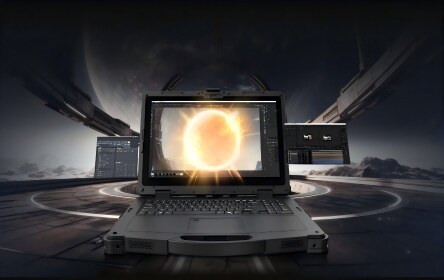




Updated: June 2026 | Topic: Rugged Tablet, Field Service, Warehouse, Logistics
Best Rugged Tablet for Field Service, Warehouse, and Logistics in 2026
Quick answer: the best rugged tablet is the one that fits the work environment first, not the one with the longest specification list. Field service teams usually need sunlight readability, GPS, mobile connectivity, camera support, and long battery life. Warehouse teams should prioritize barcode scanning, Wi-Fi stability, docking, WMS compatibility, and comfortable carrying. Logistics teams need vehicle mounting, GNSS, vibration resistance, reliable wireless communication, and accessories that support long shifts.
Choose screen brightness, GPS, LTE/5G, camera quality, battery runtime, and glove-friendly touch.
Focus on 1D/2D scanning, Wi-Fi roaming, hand straps, docks, drop protection, and WMS integration.
Check vehicle docks, GNSS, vibration resistance, charging accessories, and fleet software support.
Test the device with real workers, real software, real shifts, and real network conditions before rollout.
Consumer tablets can be useful in offices, meeting rooms, and light retail work. But they are not designed for repeated drops, dust, rain, cold storage, loading docks, forklift cabins, vehicle vibration, or outdoor jobs where a failed screen can stop the workflow. A rugged tablet is different. It is built as a working device for people who collect data, confirm tasks, scan items, inspect assets, communicate with teams, and keep operations moving.
This guide is written for B2B buyers, IT managers, system integrators, warehouse teams, field service managers, and logistics operators who need to choose a rugged tablet for field service, warehouse, and logistics. Instead of listing only specifications, it explains how to match the tablet to the work.
What Does “Best Rugged Tablet” Really Mean?
The word “best” only makes sense when it is connected to a job. A tablet used by a field technician on outdoor service calls has a different job from a tablet used by a warehouse picker or a forklift driver. One team may care about GPS and sunlight readability. Another team may care about scan speed and Wi-Fi handoff between warehouse zones.
A good rugged tablet should reduce interruptions. A better one should fit the workflow so naturally that workers stop thinking about the device and simply finish the task.
| Buying Factor | Why It Matters | What to Check Before Buying |
|---|---|---|
| Durability | Industrial teams face drops, dust, water, vibration, and temperature changes. | IP rating, MIL-STD test information, drop height, sealed ports, reinforced housing, operating temperature. |
| Display | Workers need to read work orders, maps, inventory pages, forms, and dashboards in different lighting conditions. | Brightness, anti-glare design, touch sensitivity, glove touch, wet-touch support, screen size. |
| Battery and charging | A tablet that dies before the shift ends creates downtime and manual rework. | Battery capacity, hot-swap option, charging dock, vehicle charger, spare battery plan. |
| Connectivity | Real-time operations depend on stable data transfer between workers, vehicles, warehouse systems, and dispatch teams. | Wi-Fi, Bluetooth, 4G/5G, GNSS, NFC, RFID, scanner module, antenna design. |
| Software fit | The tablet must run the real business software, not just pass a hardware checklist. | Android, Windows, Linux, WMS, ERP, FSM, MDM, VPN, scanner SDK, driver compatibility. |
Practical advice: do not choose a rugged tablet by CPU and memory alone. In many industrial projects, the real failure points are screen visibility, scan workflow, battery planning, mounting, accessories, and software compatibility.
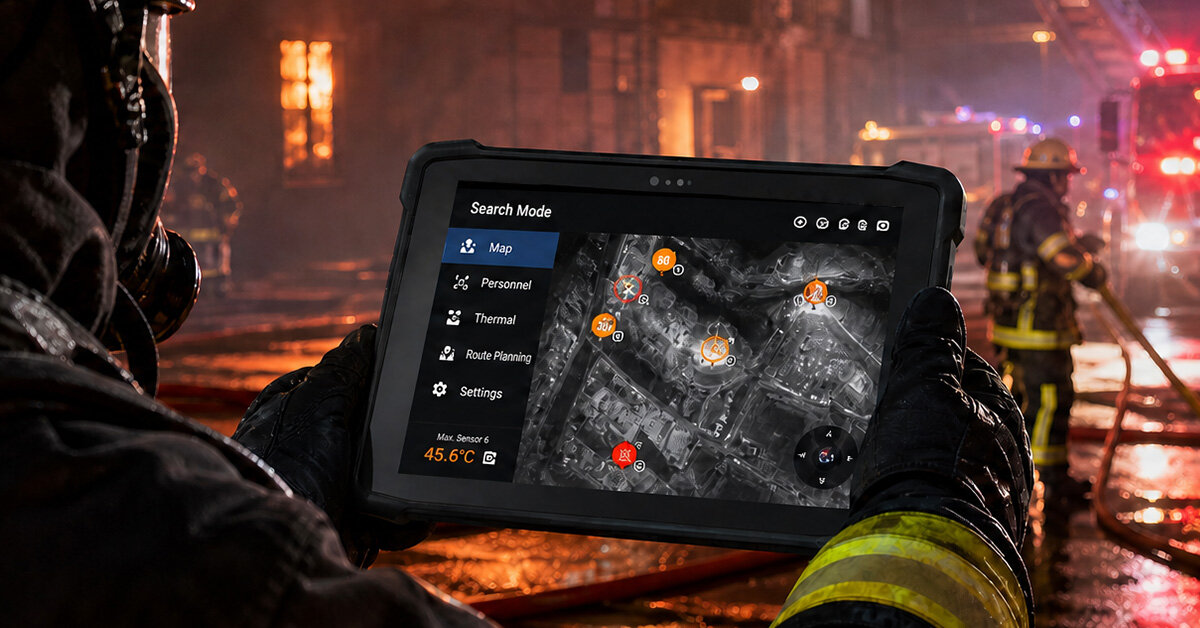
Field Service: Choose for Outdoor Visibility, Connectivity, and Battery Life
Field service teams work in changing environments. A technician may start the day in a vehicle, inspect equipment outdoors, enter a customer site, check repair history, capture photos, collect signatures, and sync a work order back to the system. The rugged tablet must follow the technician through all of these steps.
For field service, the best rugged tablet should not only survive drops. It should make the technician faster. If the screen is difficult to read in sunlight, the worker wastes time. If the battery cannot last through a full shift, the team needs backup paperwork. If GPS is weak, asset location and route work become less reliable.
Field Service Must-Have Features
- Sunlight-readable display for outdoor work.
- Glove-friendly and wet-touch operation.
- 4G/5G connectivity for work orders and remote updates.
- GNSS/GPS for asset location, route records, and field mapping.
- Camera support for inspection proof and service documentation.
- Vehicle charging or docking for technicians on the road.
Real Deployment Risk
Many field projects fail because the device was tested in the office, not in the field. Before buying in volume, ask a technician to use the tablet outdoors, with gloves, inside a vehicle, and with the real field service app open for several hours.
If your team uses Windows-based diagnostic tools or legacy desktop software, a Windows rugged tablet may be the safer choice. If your work is mostly app-based, form-based, cloud-based, or scan-driven, an Android rugged tablet can be easier to deploy and manage.
Warehouse: Choose for Scanning, Wi-Fi, and Repetitive Workflows
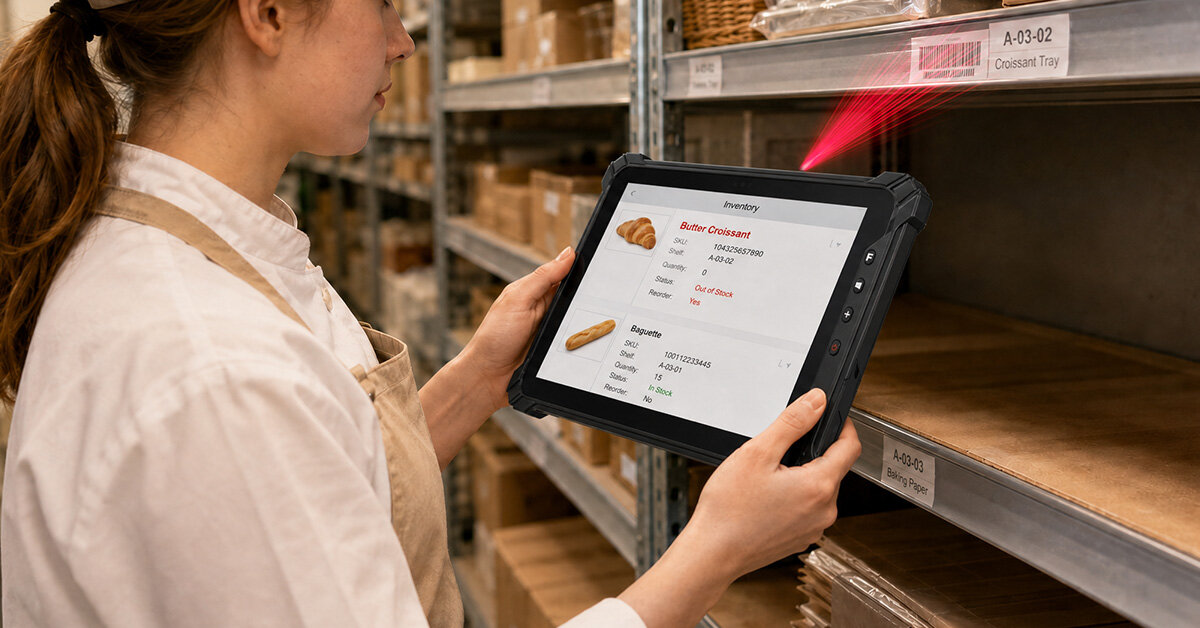
Warehouse operations are repetitive, fast, and unforgiving. Workers receive goods, scan labels, pick items, confirm locations, update inventory, pack shipments, and move between racks, loading docks, and forklifts. In this environment, a rugged tablet must help workers capture data quickly and accurately.
A warehouse tablet should not rely only on a rear camera if workers scan frequently. For receiving, picking, packing, and inventory control, a professional 1D/2D barcode scanner can improve speed and reduce manual input errors. If workers scan hundreds of items per shift, button placement, grip comfort, scanner angle, and screen size become just as important as the processor.
| Warehouse Task | Best Tablet Priority | Why It Matters |
|---|---|---|
| Receiving | Barcode scanner, camera, Wi-Fi stability | Workers need to verify inbound goods quickly and reduce manual entry. |
| Picking | Comfortable grip, scan button, lightweight body | Small delays repeat hundreds of times per shift and become real labor cost. |
| Inventory | Scanner accuracy, battery runtime, WMS compatibility | Accurate item tracking depends on reliable scan capture and system sync. |
| Forklift operation | Vehicle dock, vibration resistance, clear screen | The device must stay stable and readable while the vehicle is moving. |
| Cold storage | Wide temperature support, glove touch, sealed design | Cold, condensation, and gloves can make ordinary tablets difficult to use. |
For warehouse teams, the best rugged tablet is often the one that removes friction from repeated actions. Workers should be able to scan, confirm, and move. If every scan requires extra tapping, waiting, or repositioning, the tablet slows down the whole process.
Logistics: Choose for Vehicle Use, GNSS, and Real-Time Communication
Logistics teams connect warehouse operations with transport, delivery, and fleet management. A rugged tablet may be used for route planning, proof of delivery, vehicle inspection, driver communication, shipment verification, GPS tracking, and dispatch updates.
In logistics, durability means more than drop protection. Vehicle vibration, power stability, mounting position, cellular signal, GNSS accuracy, and docking accessories all affect daily performance. If the tablet is used inside trucks, forklifts, or delivery vehicles, make sure it can be mounted securely and charged safely.
When a Rugged Tablet Works Better
A rugged tablet is a better fit when workers move between the vehicle, warehouse, loading dock, and customer site. The same device can support scanning, signatures, photos, delivery proof, and mobile communication.
When a Vehicle PC Works Better
A vehicle PC or vehicle-mounted computer is often better when the screen stays fixed in a forklift, truck, or fleet cabin for dispatch, navigation, or in-vehicle data entry.
This is where many logistics projects need a mixed device strategy. A driver may need a rugged tablet for delivery proof, while a forklift operator may need a mounted device for warehouse dispatch. Choosing one product type for every worker can create unnecessary compromise.
Android vs Windows Rugged Tablet: Which One Should You Choose?
There is no universal winner between Android and Windows rugged tablets. The right choice depends on your software, IT policy, security requirements, training plan, and existing enterprise systems.
| Use Case | Choose Android Rugged Tablet When... | Choose Windows Rugged Tablet When... |
|---|---|---|
| Field service | Your apps are mobile-first, cloud-based, and easy to deploy through MDM. | Your technicians use Windows diagnostic tools, legacy programs, or full desktop applications. |
| Warehouse | You need fast app workflows, scanning, simple training, and lightweight operation. | Your WMS, ERP, MES, or industrial software requires Windows compatibility. |
| Logistics | Your drivers use Android fleet apps, proof-of-delivery tools, and mobile navigation. | Your dispatch, routing, or industrial control system is built around Windows software. |
| IT management | Your team already manages Android Enterprise devices. | Your company standardizes on Windows endpoint security, VPN, domain, or device policies. |
The safest approach is to test your actual software before choosing the operating system. A rugged tablet can look excellent on paper and still fail if the application layout is hard to use, the scanner SDK is not compatible, or the device cannot connect reliably in the real worksite.
A Practical 7-Step Rugged Tablet Buying Checklist
Instead of asking “Which rugged tablet is best?”, use a buying process that starts from the work. This prevents teams from overbuying unnecessary specifications or underbuying the rugged features that actually protect productivity.
List where the tablet will be used: outdoor site, warehouse aisle, freezer, vehicle, loading dock, customer site, factory floor, or medical environment.
Check whether your core apps require Android, Windows, browser access, scanner SDK support, industrial drivers, VPN, or MDM compatibility.
Match IP rating, drop resistance, vibration tolerance, and operating temperature to the real environment instead of choosing by marketing language.
8-inch tablets are easier to carry. 10.1-inch tablets balance portability and visibility. Larger tablets are better for maps, dashboards, forms, and inspection records.
If workers scan often, verify the scanner type, scan button position, barcode support, RFID/NFC needs, and software integration before purchase.
Review charging docks, vehicle docks, hand straps, shoulder straps, keyboards, stylus, mounting kits, spare batteries, and chargers.
Test the rugged tablet with real workers, real apps, real shifts, and real network conditions. Frontline feedback often reveals issues that specifications cannot show.
When a Rugged Tablet May Not Be the Best Choice
A helpful buying guide should also explain when not to buy the product. Rugged tablets are flexible, but they are not always the right device for every industrial task.
| Situation | Better Option to Consider | Reason |
|---|---|---|
| Workers only scan items all day with minimal screen interaction. | Rugged handheld or PDA | A handheld device may be lighter, faster to scan with, and easier to use for high-frequency barcode workflows. |
| The device will stay fixed in a forklift, truck, or vehicle cabin. | Vehicle-mounted computer | Vehicle PCs usually offer stronger mounting, power integration, vibration resistance, and in-cab usability. |
| The screen is used as a fixed HMI on a production line. | Industrial panel PC | A panel PC is more suitable for fixed installation, machine control, and long-term industrial display use. |
| The project requires heavy edge computing or industrial control. | Industrial PC or rugged AI PC | More computing power, I/O expansion, and thermal design may be needed for advanced industrial workloads. |
This is why device selection should be based on user roles. A warehouse supervisor, forklift driver, field technician, dispatcher, and quality inspector may all need rugged computing, but not always the same product.
How Emdoor Rugged Tablets Fit Industrial Workflows
Emdoor provides rugged tablet options for different industrial requirements, including Android and Windows configurations, multiple screen sizes, barcode scanning options, wireless communication, and accessories for field and mobile use. This is useful for B2B projects because different teams inside the same company may need different rugged devices.
For example, a field service team may choose a rugged tablet for mobile inspection and work orders. A warehouse team may compare rugged tablets with handheld devices for scanning-heavy workflows. A logistics team may use tablets for proof of delivery while using vehicle PCs for forklift or fleet-mounted operations. A factory may combine rugged tablets for mobile inspection with industrial PCs for fixed HMI, control, or automation tasks.
The goal is not to force every customer into one device. The stronger approach is to match each device to the work location, software system, user role, and long-term maintenance plan.
Common Mistakes to Avoid Before Deployment
Many rugged tablet projects do not fail because the hardware is weak. They fail because the project team did not test the full workflow before deployment.
| Mistake | What Happens After Deployment | Better Approach |
|---|---|---|
| Choosing only by price | The device may lack the accessories, support, or durability needed for industrial work. | Compare total cost of ownership, including downtime, repair, battery, accessories, and support. |
| Ignoring screen readability | Workers struggle outdoors, inside vehicles, or near bright loading areas. | Test the screen in the real work environment before rollout. |
| Forgetting accessories | The tablet works, but carrying, charging, or mounting becomes inconvenient. | Evaluate the tablet and accessories as one complete solution. |
| Skipping software tests | Apps may run poorly, scanners may not integrate, or layouts may not fit the screen. | Test the exact software, scanner workflow, and user permissions before purchase. |
| Buying one model for every team | Some users receive a device that is too large, too small, or not specialized enough. | Segment users by workflow: field service, warehouse, logistics, inspection, vehicle, and industrial control. |
Final Recommendation: Start with the Job, Then Choose the Rugged Tablet
The best rugged tablet for field service, warehouse, and logistics in 2026 is not defined by one specification. It is defined by fit. Field service teams need mobility, visibility, GPS, cellular communication, and battery life. Warehouse teams need scanning speed, Wi-Fi stability, docking, and WMS compatibility. Logistics teams need vehicle support, GNSS, vibration resistance, and reliable communication with dispatch and fleet systems.
Before buying, build a shortlist around the actual workflow. Then test the rugged tablet with real users, real software, real shifts, and real environmental conditions. This simple step can prevent many hidden deployment problems and help your team choose a rugged tablet that performs well beyond the demo stage.
FAQs About Rugged Tablets
What is a rugged tablet?
A rugged tablet is a mobile computer designed for demanding environments. Compared with consumer tablets, it usually offers stronger drop protection, dust and water resistance, wider operating temperature support, and industrial accessories such as docks, straps, scanners, and vehicle chargers.
What is the best rugged tablet for field service?
The best rugged tablet for field service should have a sunlight-readable screen, long battery life, GPS, cellular connectivity, durable housing, camera support, and compatibility with field service, inspection, mapping, or diagnostic software.
What is the best rugged tablet for warehouse work?
For warehouse work, prioritize barcode scanning, Wi-Fi stability, drop resistance, comfortable carrying, docking, and WMS or ERP compatibility. If the work is mostly high-frequency scanning, compare rugged tablets with rugged handheld devices.
Should I choose an Android or Windows rugged tablet?
Choose Android when your workflow is mobile-app based, scanning-focused, and cloud-based. Choose Windows when your team depends on Windows desktop applications, legacy industrial software, or Windows-based IT management tools.
Is a rugged tablet better than a vehicle-mounted computer?
A rugged tablet is better when workers need to move between vehicles, warehouses, loading docks, and customer sites. A vehicle-mounted computer is better when the device stays fixed in a forklift, truck, or fleet cabin for long-term in-vehicle use.
What screen size is best for a rugged tablet?
8-inch rugged tablets are easier to carry. 10.1-inch rugged tablets offer a balanced size for field and warehouse work. Larger rugged tablets are better for maps, dashboards, inspection records, and detailed forms.
- Honeywell discusses rugged tablets for field operations and harsh working conditions: Honeywell field operations article.
- Maple Systems describes rugged tablets for logistics, warehousing, barcode scanning, RFID, and field service: Maple Systems rugged tablets.
- Winmate notes IP65 and MIL-STD-810H rugged requirements for warehouse and logistics use cases: Winmate warehouse logistics article.
- Emdoor rugged tablet category page lists Android and Windows rugged tablet options across different sizes and configurations: Emdoor rugged tablets.
- Emdoor vehicle PC category page shows vehicle-mounted computing options for fleet and transport environments: Emdoor vehicle PCs.
- Emdoor transportation solution page mentions rugged computing for transportation environments and high-brightness screen use: Emdoor transportation solution.