







Consistent setup
Review required functions before configuring devices.


 16/17F, Emdoor Building, No.8 Guangke 1st Road, Pingshan District, Shenzhen


Key Mapper maps and binds physical Android device keys to application services, shortcuts, broadcasts, screenshots, or code scanning actions.
Review the required device behavior, operating role, supported Android model, and configuration before deployment.
Review required functions before configuring devices.
Align available functions with the approved work task.
Use a validated configuration as the basis for batch rollout.
Confirm the application purpose, supported device, configuration scope, pilot, and operating handover in one deployment path.
Confirm the device, Android version, users, and required actions.
Set the supported application functions for the workflow.
Validate the configuration on a representative device.
Release the approved configuration with operating ownership.
Review feedback and configuration updates as needed.
Use the official function set as the basis for a project-specific configuration review.
Customize volume, Return, Home, and other physical key functions.
Support click, lift, double click, and long press operation modes.
Trigger screenshots and code scanning from physical keys.
Wake installed applications, shortcuts, and preset broadcasts from device keys.
Import and export configurations for repeatable deployment.
The same configuration should be reviewed from the administrator, operations, and field-user perspectives.
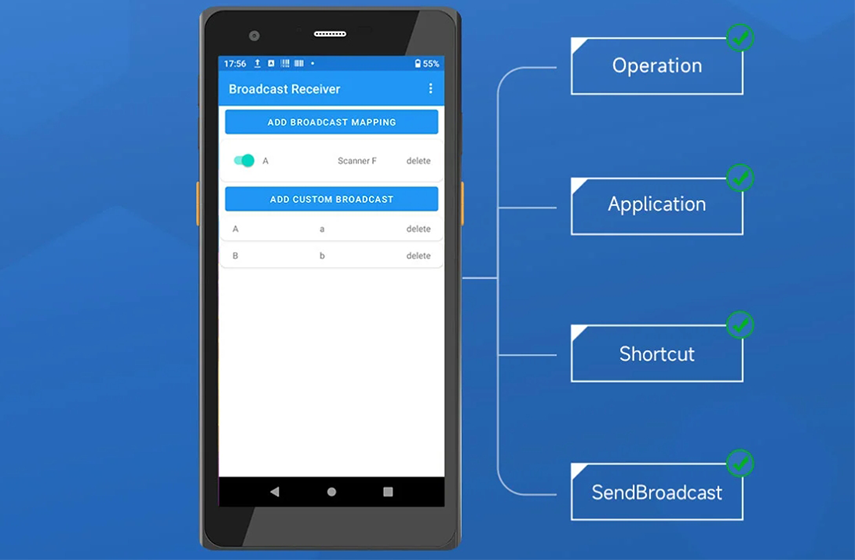
A pilot confirms device fit, configuration behavior, user operation, and support ownership before batch deployment.
Confirm supported Android model, workflow, and required functions.
Apply the required software settings.
Validate operation on a representative device.
Release the approved configuration.
Review feedback and future configuration needs.
Confirm the selected Android model, operating system, peripherals, application environment, and project scope.
Confirm Android version, application environment, and required peripherals.
Confirm Android version, scanning or key requirements, and user workflow.
Confirm Android device direction, mounted operation, and network conditions.
Review available software functions together with device, application, network, and delivery requirements.
Use a representative pilot to validate the required application behavior before batch rollout.
Confirm the selected Android device supports the deployment.
Validate the required software behavior.
Confirm operation in the intended user workflow.
Record configuration and support ownership.
Review the selected device, Android system, application behavior, peripheral requirements, deployment configuration, and support expectations together.
Share the device model, Android version, user workflow, required functions, deployment quantity, and support expectations.
Discuss software supportSelected model, Android version, and required peripherals.
Functions, user behavior, application integration, and restrictions.
Pilot, quantity, site, timing, and configuration handover.
Documentation, issue feedback, and maintenance ownership.
Confirm device fit, function scope, configuration, pilot, and deployment expectations before release.
Continue reviewing software tools in the same App Center category.