Sponsored Content
How the Emdoor EM-I17J Rugged Tablet Helps Digitize Retail Inventory Management
A bakery was looking for a better way to manage everyday inventory and replenishment. Handwritten stock records were slow, difficult to keep accurate, and heavily dependent on manual work.
The store needed more than a new piece of hardware. It needed an integrated digital workflow that could connect stock checking, barcode scanning, replenishment orders, goods receiving, and inventory updates.
In this Emdoor Transformation Story, we look at how the EM-I17J rugged tablet serves as a mobile data collection and operation terminal throughout the retail replenishment process, helping the store move from paper-based records toward a more connected inventory management workflow.
Key Takeaways
- From paper to digital: Store employees can scan products and submit replenishment information directly from the rugged tablet instead of recording shortages by hand.
- Barcode-based data entry: The integrated 2D scanning capability helps identify product information quickly and reduces repetitive manual input.
- Connected replenishment workflow: Orders, receiving confirmation, and inventory updates can move through the customer's inventory software over Wi-Fi or 4G connectivity.
- Built for everyday store use: The 10.1-inch EM-I17J combines portable operation with IP65 protection and MIL-STD-810G-rated ruggedness.
Quick Answer: How Can a Rugged Tablet Improve Retail Inventory Management?
A rugged tablet can combine barcode scanning, inventory software, wireless connectivity, order submission, receiving confirmation, and stock visibility in one mobile terminal. In this bakery application, the EM-I17J helps employees record shortages digitally, submit replenishment requirements, confirm incoming goods, and keep inventory information synchronized without relying on handwritten notes.
The Challenge: Paper-Based Inventory Was Slowing Store Operations
Inventory management in a retail store may look simple from the outside. In reality, employees continuously check shelves, identify shortages, record required quantities, submit replenishment requests, receive deliveries, and update inventory data.
The bakery previously relied mainly on handwritten records to track products that needed replenishment. This created three recurring problems.
Inaccurate Data
Manual transcription makes inventory information more dependent on individual input. Product names, quantities, or item details can be recorded inconsistently.
Low Operational Efficiency
Employees need to write down shortage information and later transfer it into the ordering process, adding unnecessary steps between shelf inspection and replenishment.
Too Much Paper-Based Work
Paper records increase material use while making historical information harder to organize, synchronize, and analyze centrally.
The Solution: EM-I17J as the Mobile Hub of the Replenishment Workflow
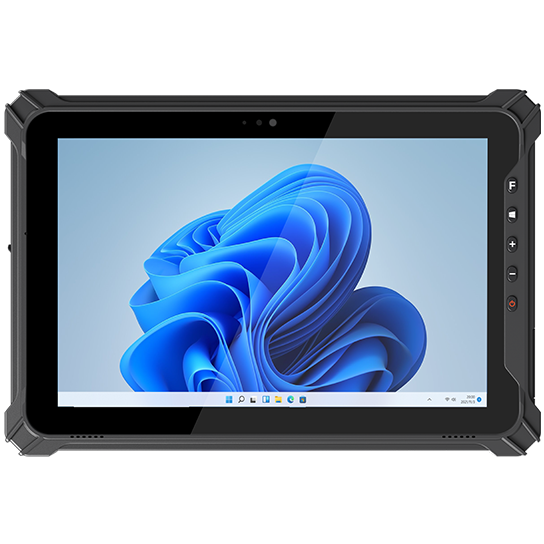
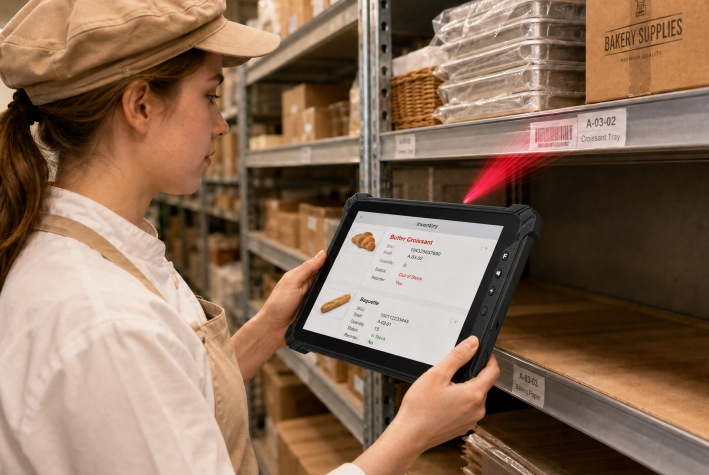
The Emdoor EM-I17J rugged tablet is used as a mobile terminal for data collection, order submission, and receiving confirmation. Combined with the customer's preinstalled inventory management software, it supports the workflow from identifying an out-of-stock item to placing the replenished product back on the shelf.
The important change is that information is captured where the work actually happens. Employees do not need to return to another workstation just to enter stock data.
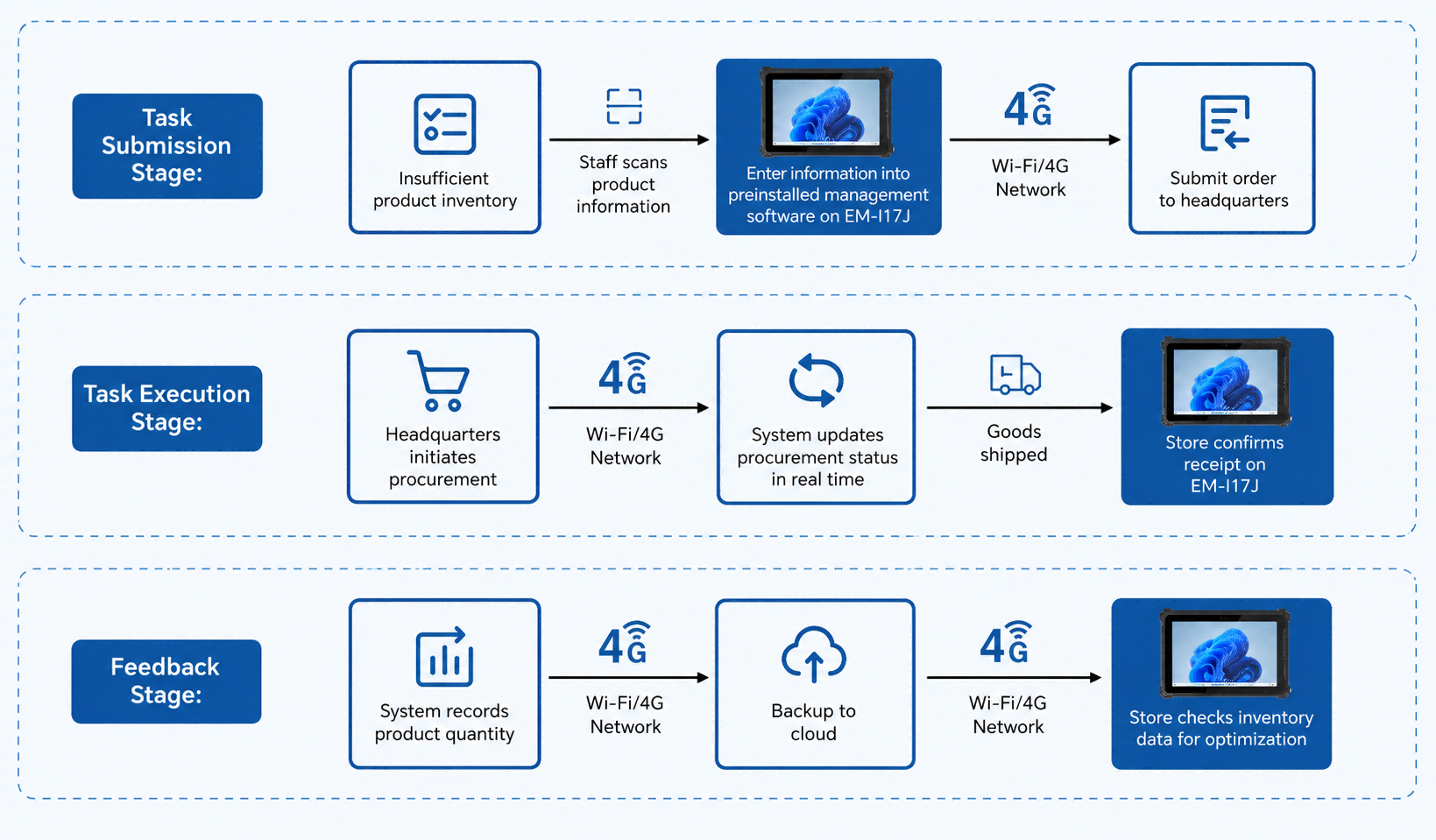
Step 01Identify an Item That Needs Replenishment
During routine shelf inspections, an employee notices that a product is running low. Instead of writing the shortage on paper, the employee opens the customer's inventory management application directly on the EM-I17J.
Step 02Scan the Product Barcode
Using the tablet's integrated scanning module, the employee scans the barcode on the product.
The inventory system can then identify information such as the product name, specification, and current stock quantity according to the customer's software configuration. This reduces the amount of product information that has to be entered manually.
Step 03Enter the Required Quantity and Submit the Order
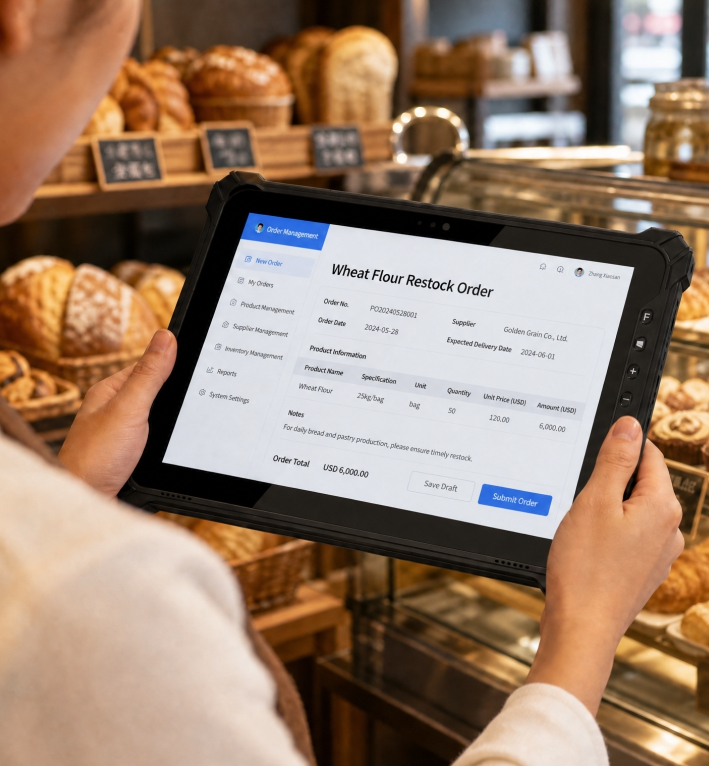
The employee enters the quantity that needs to be replenished and submits the request through the inventory application.
Using the store's Wi-Fi or 4G connection, the order can be sent to headquarters in real time, shortening the path between identifying a shortage and starting the replenishment process.
Step 04Headquarters Starts the Purchasing Process
After headquarters receives the replenishment request, the purchasing process begins. Once procurement is completed, the goods are delivered to the store through the customer's logistics process.
Step 05Confirm Goods Receiving on the Tablet
When the shipment arrives, the EM-I17J receives the corresponding procurement status update through the inventory system.
The employee confirms receipt on the tablet. The customer's system can then close the related order and synchronize the actual quantity received with its inventory database.
Step 06Keep Inventory and Operation Records Synchronized
The inventory system records the quantity received and stores operation records such as scanning, order submission, and receipt confirmation according to the customer's software workflow.
Store employees can check updated inventory levels from the ordering system on the EM-I17J, while headquarters can use centralized data to review replenishment frequency and quantities across stores.
This provides a better information base for subsequent purchasing and supply-chain planning.
From Shelf Inspection to Restocking: One Connected Workflow
1. Shelf Check
Employee identifies a product that is running low.
2. Barcode Scan
EM-I17J captures the item barcode through the integrated scanning module.
3. Replenishment Request
Employee enters the required quantity and submits the request digitally.
4. Central Purchasing
Headquarters receives the request and starts procurement.
5. Goods Receiving
Store employee confirms delivery on the rugged tablet.
6. Inventory Update
Actual received quantities and related records are synchronized with the inventory system.
What Changed for Store Operations?
The value of digitization is not simply replacing a notebook with a screen. The real improvement comes from reducing repeated steps between data collection and business execution.
More Efficient Store Operations
Scanning and digital submission reduce the number of manual steps required between finding a shortage and submitting a replenishment request.
More Consistent Data Entry
Barcode-based product identification reduces dependence on handwritten product names and repeated manual data entry.
Lower Paper Dependence
Digital stock records and order submission reduce the use of paper during daily replenishment operations.
Better Inventory Visibility
Updated inventory records make it easier for store staff to check stock levels while giving headquarters access to replenishment data for further analysis.
Why the EM-I17J Fits Retail Inventory Workflows
01Portable and Durable
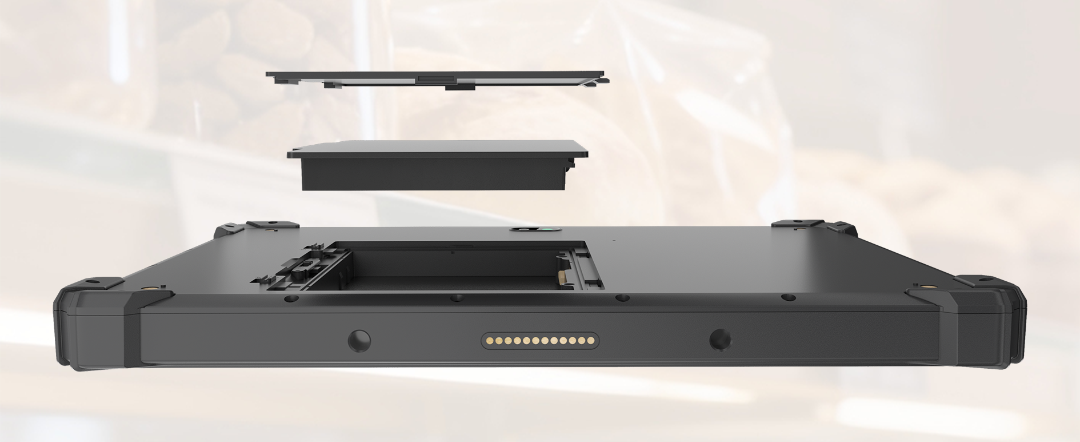
The 10.1-inch form factor makes the EM-I17J convenient for employees to carry around the store and use during frequent daily stock checks.
02Fast Barcode Data Capture
Its integrated professional 2D scanning engine supports fast barcode and QR code recognition, allowing item information to be captured digitally rather than written down manually.
03Designed for Reliable Daily Use
With IP65 protection and MIL-STD-810G-rated ruggedness, the tablet is designed to withstand dust exposure and the minor bumps and drops that can occur during everyday mobile operation.
04Supports Paperless Workflows
Digital scanning and ordering reduce paper-based records while making replenishment information easier to transmit and organize.
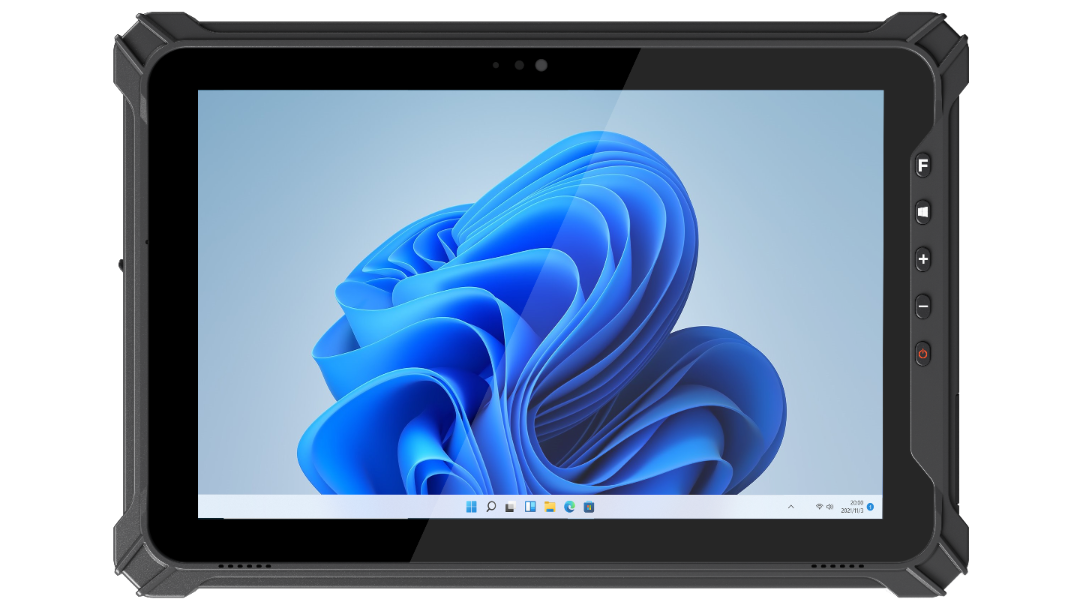
EM-I17J Rugged Tablet Highlights
Processor: Intel N5100
Display & Touch: 10.1-inch display with 10-point precise touch support
Cameras: 5MP front camera + 8MP rear autofocus camera
Physical Controls: Front-facing physical buttons with a clear layout
Scanning: Professional 2D scanning engine with customizable scan button
Protection: IP65
Rugged Standard: MIL-STD-810G
Customer Feedback
“The Emdoor EM-I17J rugged tablet has significantly improved our store replenishment workflow. Employees no longer need to write down information manually. Product data can be entered quickly through barcode scanning, making ordering more efficient and accurate. The device is portable and rugged enough to handle the minor bumps that occur during everyday use. For us, it is not only an improvement in operating efficiency, but also a more reliable and intelligent store solution.”
— Bakery Operations Manager
Frequently Asked Questions
Why use a rugged tablet for retail inventory management?
A rugged tablet combines mobile data entry with greater protection for frequent everyday use. It can also integrate scanning, inventory applications, wireless connectivity, and receiving workflows in one portable terminal.
Can the EM-I17J scan retail product barcodes?
Yes. The EM-I17J supports a professional 2D scanning engine and a customizable scan button, allowing barcode and QR code data to be captured for compatible business applications.
Can inventory orders be submitted directly from the tablet?
In this customer application, the preinstalled inventory management software allows employees to enter replenishment quantities and submit orders through Wi-Fi or 4G connectivity.
Is the EM-I17J suitable only for bakeries?
No. The workflow demonstrated in this bakery shows how barcode scanning, mobile data collection, and digital inventory operations can be useful in other retail environments with similar stock-checking and replenishment requirements.
Conclusion: Turning Everyday Inventory Work into a Digital Workflow
For this bakery, digital transformation did not begin with a complex overhaul of store operations. It began with one practical process: replacing handwritten shortage records with a connected mobile workflow.
By combining the customer's inventory software with the Emdoor EM-I17J rugged tablet, employees can move from shelf inspection to barcode scanning, replenishment submission, receiving confirmation, and inventory updates through one mobile terminal.
The result is a retail inventory workflow that is more digital, more connected, and better suited to everyday store operations.









 16/17F, Emdoor Building, No.8 Guangke 1st Road, Pingshan District, Shenzhen