



Related Products


 16/17F, Emdoor Building, No.8 Guangke 1st Road, Pingshan District, Shenzhen


You want the best rugged notebook for your job in 2026. The market for rugged notebooks is growing very fast. It is expected to grow by more than 7% each year. By 2028, it could be worth $1.5 billion. You need a device that can handle dust, water, drops, and bad weather. Emdoor is known for being tough and passing military-grade tests. Their rugged laptops are reliable in real life. They use advanced Intel processors. They work in very hot or cold places. These laptops help you get more work done. You can use them outside or in a busy factory. Picking the right features for your needs helps you get the best rugged notebook for any job.
Key Takeaways
- Emdoor rugged notebooks can handle hard use. They keep working even with dust, water, or drops. This makes them great for many jobs.
- Pick a model with features you need. You might want a bright screen for outside. Or you may need a long battery for long work hours.
- Emdoor has many models to choose from. The EM-X14A/X14M Ultra-Portable is light and easy to carry. Each model fits different jobs and places.
- Check for IP65 or IP67 ratings. These ratings mean your device can get wet or dusty and still work.
- Think about which operating system you like best. Emdoor laptops can use Windows or Android.
- You can add things like barcode scanning or RFID to Emdoor laptops. These options help you work better in the field.
- Emdoor has been making laptops for over 17 years. They give help all over the world. This means you can trust them and get help if you need it.
- Emdoor rugged notebooks cost less than many other brands. They give you good value for your money in the rugged laptop market.
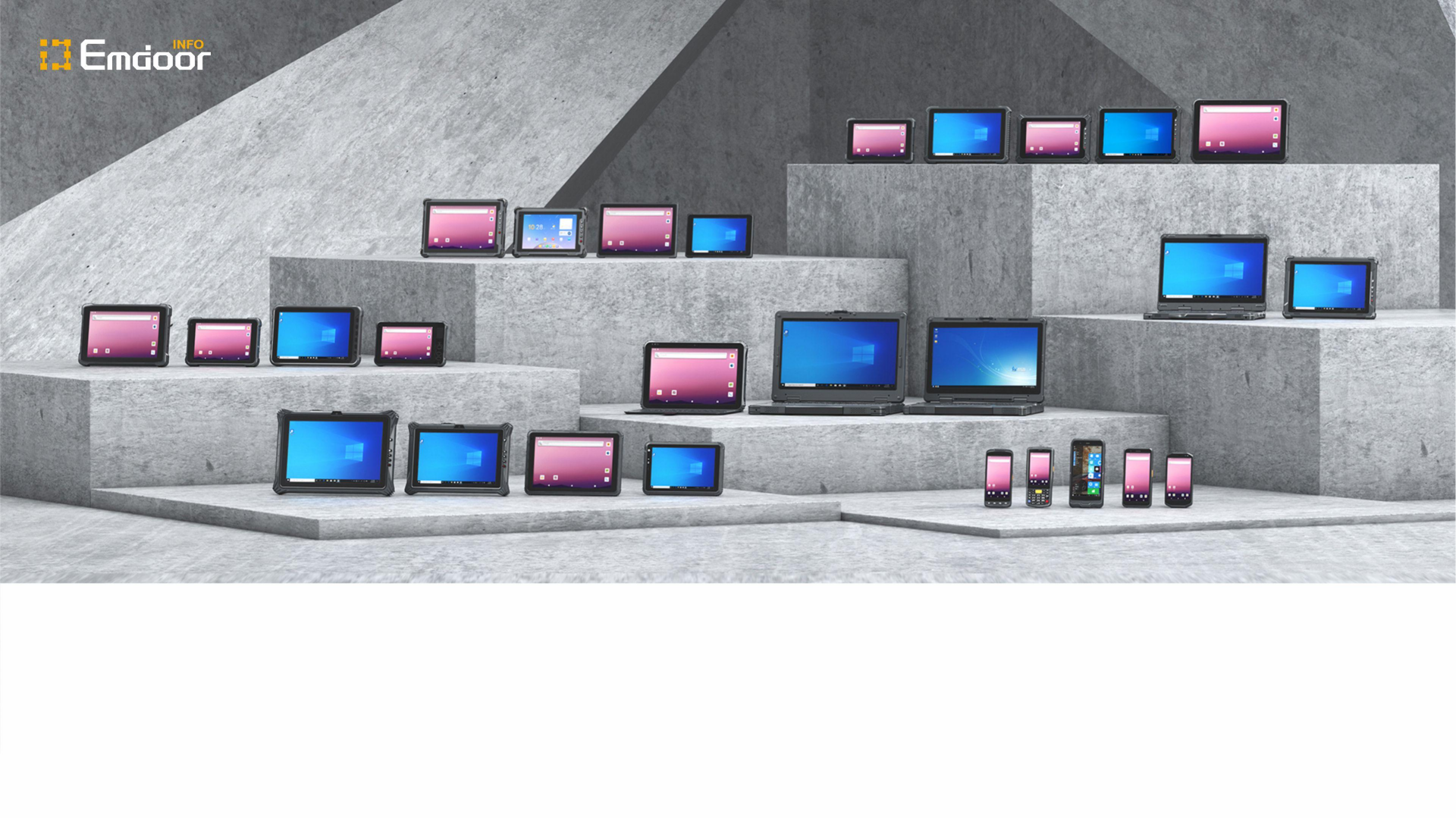
Emdoor Rugged Notebook Lineup
Emdoor Rugged Features
Emdoor is a top brand for tough laptops. These laptops work well in hard places. You get more than a tool; you get help for your job. Emdoor makes rugged handhelds, tablets, notebooks, and terminals. The company cares about making things useful and easy to use. Every product shows this focus.
You need a notebook that can handle tough jobs. Emdoor gives you that trust. Their laptops and tablets have IP65 and IP67 ratings. This means they keep out dust and water. You can use them in rain or near water jets. You do not need to worry about drops or bumps. Emdoor tests each device to military rules.
Battery life is important for long work days. Emdoor laptops last up to 8.5 hours. You can finish your work without charging. These laptops use Windows or Android. You can pick what works best for you.
Here are some main models in the Emdoor rugged notebook lineup for 2026:
- EM-X15A
- EM-X14A
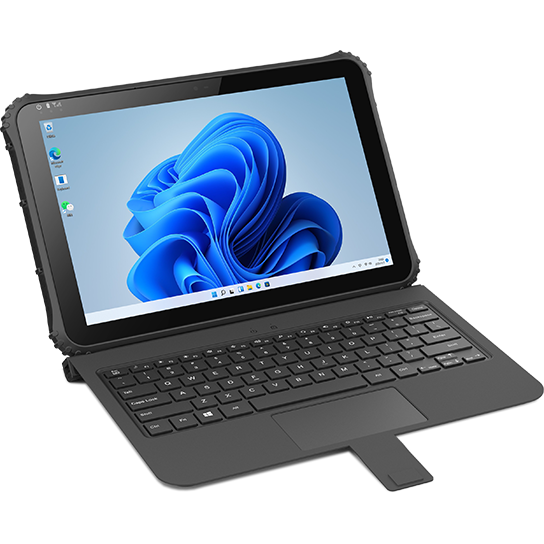
- EM-I22J
You can change these devices to fit your needs. Emdoor offers barcode scanning, RFID, and fast data tools. These features help you work better and faster.
Tip: If you work outside, pick a model with a bright screen and long battery life. This helps you work well in any light or weather.
Emdoor has over 17 years of skill. The company helps people in over 100 countries. You can count on their support and know-how.

What’s New in 2026
You want the newest tech in your rugged notebook. Emdoor makes their laptops better every year. In 2026, you get longer battery life, faster chips, and more tough features. The new models have better IP ratings for more safety.
You will see smarter battery use. Your laptop will last longer on one charge. Emdoor adds new ways to connect, so you can get online anywhere. The lineup now lets you pick more features that fit your needs.
If you work in hard places, you will like the new laptops. They are lighter, stronger, and ready for tough jobs. Emdoor keeps leading the way in rugged tech in 2026.
Emdoor Best Rugged Notebook Models
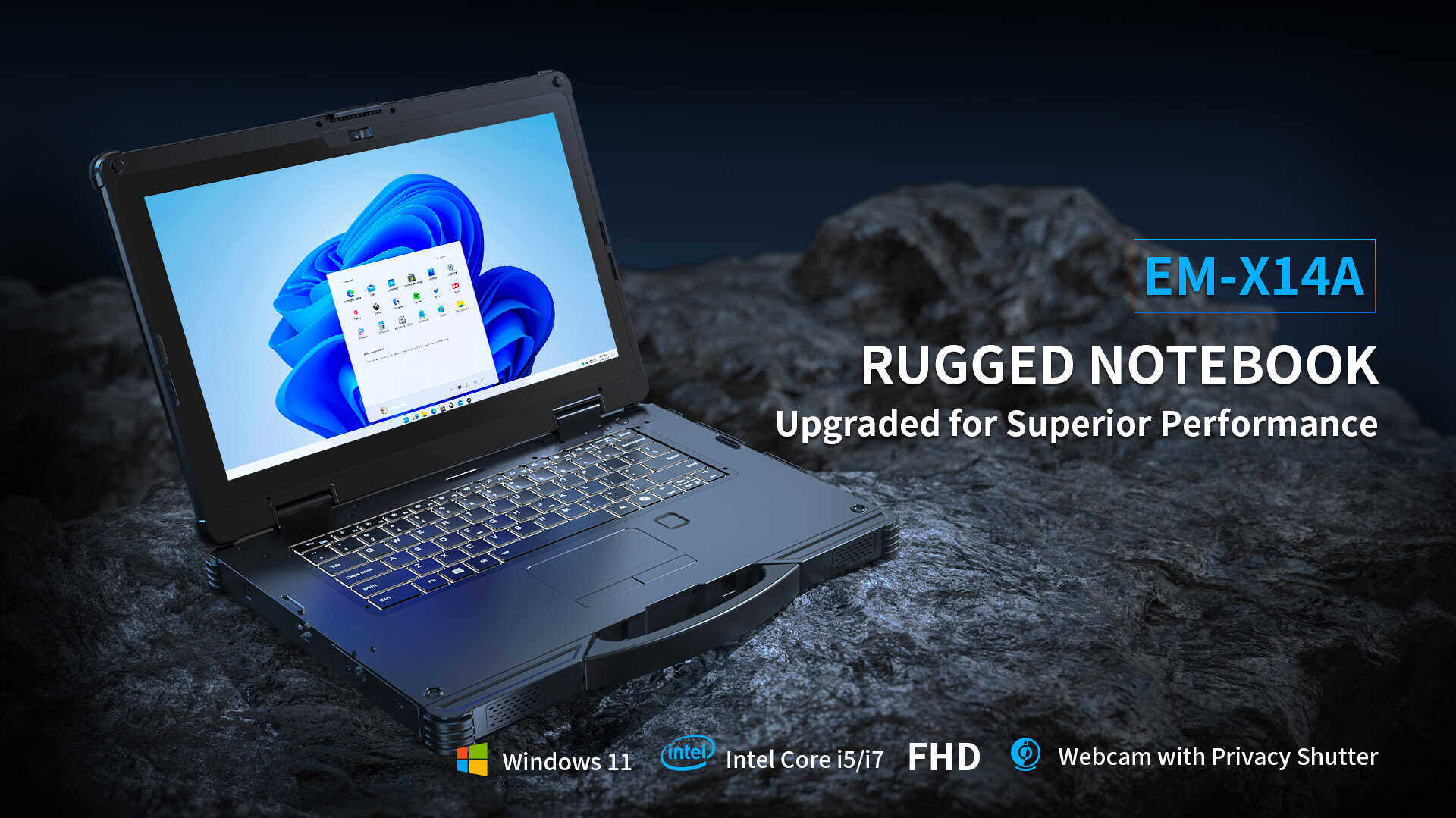
EM-X14A/X14M Ultra-Portable
Features
You want a tough notebook that is light to carry. The EM-X14A/X14M Ultra-Portable is easy to hold all day. It has a slim shape, so you can move with it easily. This laptop is strong and meets mil-std rules. It can take drops, dust, and water. The EM-X14A/X14M has a bright screen. You can see well even in sunlight. Its battery lasts for many hours. You do not need to charge often. You can add barcode scanning and RFID for quick data. This rugged laptop computer works with Windows and Android. You can use the apps you need.
Use Cases
The EM-X14A/X14M works in many jobs. If you work in transportation, you need a device that travels with you. It can handle bumps and shakes. In the energy field, you face rough weather outside. You need a strong laptop that keeps working. Medical workers use this model for patient care on the go. Surveyors and mapping teams like the light weight and good GPS. Warehouse managers use it for keeping track of items. Manufacturing teams use it for hard work every day.
Here’s a quick look at where the EM-X14A/X14M shines:
| Industry | Application Example |
|---|---|
| Transportation | Fleet management, route planning |
| Energy Industry | Field inspections, equipment monitoring |
| Medical Industry | Patient data entry, mobile diagnostics |
| Surveying and Mapping | Real-time mapping, GPS data collection |
| Warehouse Management | Inventory tracking, barcode scanning |
| Intelligent Manufacturing | Production monitoring, compliance checks |
Tip: If you want a rugged laptop computer you can carry all day and use anywhere, the EM-X14A/X14M Ultra-Portable is a smart pick.
Specs
- Display: 14-inch high-brightness, sunlight-readable
- Protection: IP65, mil-std certified for drops and shocks
- Battery: Up to 8.5 hours, hot-swappable
- Platform: Windows/Android
- Connectivity: 4G LTE/5G, Wi-Fi, Bluetooth, GPS
- Data Capture: Optional barcode scanner, RFID
- Weight: Lightweight for easy transport
EM-X15A/X15M Balanced Performance
Features
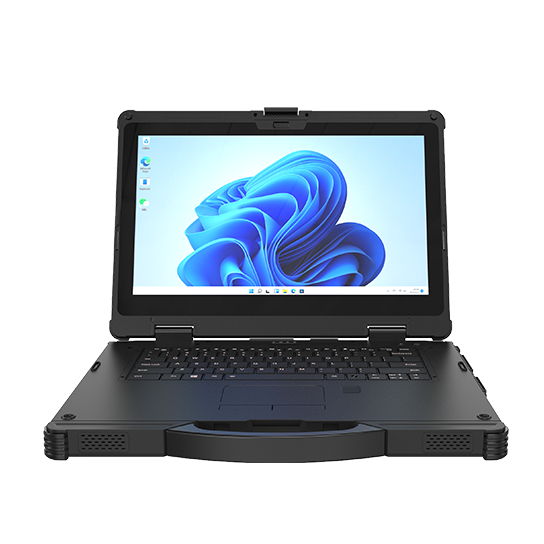
You want a tough laptop that is strong and easy to carry. The EM-X15A/X15M Balanced Performance gives you both. This laptop meets mil-std rules. It can take drops, dust, and water. You get a fast processor for quick work. The EM-X15 has a bright screen. Its battery lasts through long shifts. You can add fingerprint readers and smart cards for safety. This rugged laptop computer works with Windows and Android. You can use the apps you need.
Use Cases
The EM-X15A/X15M works in many places. If you work in public safety, you need a device for calls and data. Manufacturing teams use it for checking equipment and updates. Surveyors trust its GPS and strong build for fieldwork. Warehouse staff use it for scanning and tracking. The Emdoor is good for energy and transportation jobs. You get a semi rugged laptop that is tough but easy to carry.
Note: The EM-X15A/X15M is a top choice if you want a rugged laptop computer that gives you strong performance without extra weight.
Specs
- Display: 15-inch, high-brightness
- Protection: IP65, mil-std certified
- Battery: Up to 8.5 hours
- Platform: Windows/Android
- Connectivity: 4G LTE/5G, Wi-Fi, Bluetooth, GPS
- Security: Fingerprint reader, smart card, NFC
- Data Capture: Optional barcode scanner, RFID
Emdoor Rugged Laptops for 2026: Industry Applications
Public Utilities
If you work in public utilities, you need strong technology. Emdoor rugged laptops for 2026 help you with power lines and water systems. These laptops act like mobile command centers. You can use them to talk to your team right away. They let you work outside, even in bad weather. Rain, wind, or dust will not stop your laptop. The tough build keeps it working anywhere.
Here’s how Emdoor rugged laptops help public utilities:
| Functionality | Description |
|---|---|
| Mobile Command Hubs | Use your rugged laptop as a command center for data and communication. |
| Adaptability to Field Conditions | Keep working in extreme weather and tough environments. |
| Enhanced Communication | Stay connected with your team for better safety and management. |
You can trust these laptops to help you collect data and plan routes. They help you check work status and find power poles or water meters. GPS and real-time tools make your job easier. You get good performance wherever you go.
Public Safety
First responders need laptops that work as hard as they do. When you are on patrol or at an emergency, you need a device you can trust. Emdoor rugged laptops for 2026 are made for tough jobs. They work in rain, snow, and sand. You can put them in your car or carry them with you. The screens stay bright in sunlight. You can use the touchscreen with gloves or in the rain.
- Works well in bad weather
- Light and easy to carry
- Touchscreen works in rain or with gloves
- Keeps your data safe with fingerprint and smart card readers
Manufacturing
Factories need laptops that can keep up with busy work. Emdoor rugged laptops for 2026 give you real-time access to factory systems. You can check equipment and track inventory from anywhere on the floor. The laptops are light and you can use a stylus with one hand. This helps you move fast and stay organized.
Here’s how Emdoor rugged laptops help in manufacturing:
| Feature | Benefit |
|---|---|
| Real-Time Access | Connect to factory systems for better workforce management. |
| One-Handed Operation | Use a stylus for fast, easy data entry and digital records. |
| Higher Productivity | Manage resources and equipment efficiently. |
| Ruggedness | Withstand drops, dust, and temperature changes, reducing downtime. |
Healthcare
You work in healthcare, so you need good technology. Emdoor rugged notebooks help you care for patients anywhere. You can use them in hospitals, clinics, or out in the field. These rugged devices can handle drops and spills. They are easy to clean every day. You can trust them to keep working as you move around. They work even if you travel in an ambulance.
Let’s see how these rugged notebooks help you:
| Feature | Application in Healthcare |
|---|---|
| Patient data entry | Makes mobile clinic work faster and easier |
| Telemedicine support | Helps doctors talk to patients far away |
Surveying
Surveying takes you outside, where weather can change fast. You need a rugged device for dust, rain, and bumps. Emdoor rugged notebooks are made for tough jobs. You can use them for mapping, land surveys, and field checks. They work in hot sun or cold weather. The strong glass and case protect your device from drops.
Here’s how Emdoor rugged notebooks help you in surveying:
| Feature | Description |
|---|---|
| Processing Performance | Handles hard fieldwork easily |
| Storage Capacity | Saves big maps and lots of data |
| Software Compatibility | Runs mapping software smoothly |
| Durability | Handles dust, water, and bad weather |
| Screen | Tough and hard to break |
| Battery Life | Hot-swappable for all-day use |
| Real-time Visualization | Connects to tools for instant data |
| Efficiency | Lets you work well in tough places |
You can collect data and see results right away. If you make a mistake, you can fix it fast. These rugged notebooks help you plan routes and keep good records. You do not have to worry about your device breaking during work. Surveyors trust rugged notebooks because they work anywhere.
Warehousing & Logistics
Warehouses are busy and full of fast work. You need technology that keeps up with scanning and moving items. Emdoor rugged notebooks help you track inventory and scan barcodes. You can manage shipments easily. These rugged devices survive drops and shocks. You do not have to worry if your device falls off a cart.
- Make scanning more accurate, up to 99% for inventory.
- Handle tough warehouse jobs, so you have less downtime.
- Work with Windows 11 and warehouse systems for smooth work.
Transportation
If you work in transportation, you need technology that keeps up. Emdoor rugged notebooks help you stay connected and get your work done. These devices are made to handle bumps, drops, and bad weather. You can count on them to work in trucks, on the road, or at busy terminals.
Here’s how these rugged notebooks help you:
| Feature | Benefit |
|---|---|
| Rugged Design | Handles rough outdoor places and bad weather, so you can trust it. |
| Sunlight-readable Screen | The bright display is easy to see, day or night. |
| Real-time Connection | Lets drivers and managers talk and share data anytime. |
| Long Battery Life | Two batteries you can swap keep it running all day. |
Energy
If you work in energy, you deal with tough places every day. Emdoor rugged notebooks give you tools to stay safe and work well. These devices help you talk to your team and get important info, even in risky spots.
- Fast talking keeps you safe in dangerous places.
- Experts can help you with video calls from far away.
- You can collect and check data in the field.
- Batteries last long and can be swapped, so you keep working.
Emdoor Rugged Laptop Comparison
Choosing the right device can feel overwhelming. You want a notebook that stands up to drops, dust, and water. You also want something that fits your budget and work style. Let’s see how Emdoor stacks up against other top brands in the world of rugged technology.
Specs Table
Here’s a quick look at how Emdoor’s best rugged laptops compare to other leading brands. This table makes it easy for you to spot the differences and pick the right model for your needs.
| Model | Display | Platform | IP Rating | Battery | Weight | Data Capture | Conn. | Price |
|---|---|---|---|---|---|---|---|---|
| Emdoor EM-X14A/M | 14" | Win/Android | IP65 | Up to 10 hrs | 2.2 kg | Barcode/RFID | 4G/5G, GPS | $1,700-$2,100 |
| Panasonic Toughbook | 14" | Windows | IP65 | Up to 10 hrs | 2.5 kg | Barcode/RFID | 4G/5G, GPS | $2,500-$3,200 |
| Getac B360 | 13.3" | Windows | IP66 | Up to 12 hrs | 2.3 kg | Barcode/RFID | 4G/5G, GPS | $2,800-$3,500 |
| Dell Latitude | 14" | Windows | IP65 | Up to 14 hrs | 2.6 kg | Barcode/RFID | 4G/5G, GPS | $2,200-$2,900 |
| Durabook S15 | 15.6" | Windows | IP65 | Up to 8 hrs | 2.6 kg | Barcode/RFID | 4G/5G, GPS | $1,900-$2,400 |
| Sunboo X15A | 15.6" | Windows | IP65 | Up to 9 hrs | 2.5 kg | Barcode/RFID | 4G/5G, GPS | $1,700-$2,200 |
Tip: If you want a lighter device with a strong battery, Emdoor gives you a great balance of features and value.
Emdoor Rugged Notebook Buying Guide
How to Choose
Picking the right rugged notebook can feel tricky, but you can make it simple. Start by thinking about your work environment. Do you work outside in the rain or inside a busy warehouse? If you face dust, water, or drops, you need a rugged device with high durability. Emdoor offers models with MIL-STD-810G certification, so you know your notebook can handle shocks and extreme temperatures.
You should also look at the protection rating. For wet or dusty places, choose a rugged notebook with at least IP65 or IP67. Next, check the operating temperature range. Emdoor rugged notebooks work from -20°C to +60°C, so you stay productive in hot or cold weather.
Here’s a quick table to help you match your needs:
| Factor | What to Look For |
|---|---|
| Durability | MIL-STD-810G, IP65/IP67, shock and drop resistance |
| Features | Touchscreen, long battery life, glove compatibility, GPS, fingerprint reader |
| Price | Fits your budget, best value for features |
Budget Tips
Rugged laptops cost more than regular ones, but you get more value. You save money over time because you replace them less often. To balance your budget and performance, follow these steps:
- Decide how much rugged protection you need. Don’t pay for features you won’t use.
- Compare models by durability, battery life, and special features.
- Look for models with long battery life if you work long hours away from power.
- Choose a rugged notebook that matches your main tasks. For example, if you scan barcodes all day, pick a model with built-in scanning.
Note: Emdoor gives you many choices, so you can find a rugged notebook that fits your needs and your budget.
Emdoor vs. Other Best Rugged Laptops
Panasonic Toughbook
You probably know the Panasonic Toughbook name. Many people trust these rugged devices for fieldwork. Toughbook models have a long history in police cars, ambulances, and factories. They use magnesium alloy cases and pass strict military tests. You get high IP ratings and screens that work in sunlight. Some models even let you use the touchscreen with gloves.
But you might notice that Toughbook prices are higher. If you want a device that gives you similar rugged protection, Emdoor offers a smart choice. You get IP65 or IP67 ratings, sunlight-readable screens, and hot-swappable batteries. Emdoor also gives you more platform choices, like Windows or Android. You can pick the system that fits your work best. Emdoor’s rugged design stands up to drops, dust, and water, just like the Toughbook.
Tip: If you want rugged features and value, Emdoor gives you more options for less money.
Getac B360
Getac B360 is another big name in rugged laptops. You see these devices in public safety, utilities, and construction. Getac uses strong materials and offers IP66 protection. The B360 has a bright screen and a tough shell. It works in rain, dust, and even after drops. You can use it with gloves or a stylus.
Emdoor matches these rugged features and adds more flexibility. You get a lighter device with similar protection. Emdoor’s rugged notebooks have hot-swappable batteries, so you never lose power during a shift. You can add barcode scanning, RFID, and advanced security. Emdoor also supports both Windows and Android, which helps you use the apps you need. You get all this at a lower price point.
Dell Pro Rugged
Dell Pro Rugged laptops are popular in warehouses, logistics, and field service. Dell focuses on strong cases, long battery life, and easy repairs. You get IP65 protection and a bright display. Dell’s rugged laptops work well in hot, cold, or wet places. They offer good support and lots of accessories.
Emdoor stands out with its rugged build and global support. You get IP65 or IP67 ratings, sunlight-readable screens, and hot-swappable batteries. Emdoor’s rugged notebooks are lighter, which helps if you move around all day. You can add features like fingerprint readers, smart cards, and real-time data tools.
Durabook
You might have heard about Durabook if you work in tough places. Durabook makes rugged devices for people who need strong technology every day. These laptops are popular in the military, field service, and public safety. You get a device that can handle drops, dust, and water. The company focuses on making rugged products that last.
When you compare Durabook to Emdoor, you see some differences. Durabook offers rugged laptops with IP65 protection. Emdoor gives you more choices for your work. You can pick from different screen sizes and platforms. If you need Android or Windows, Emdoor has both. You also get rugged features like IP65 or IP67 ratings.
FAQ
What makes Emdoor rugged notebooks different from regular laptops?
You get a device built for tough jobs. Emdoor rugged notebooks resist drops, dust, and water. They pass military-grade tests. You can use them outside or in harsh places where normal laptops might fail.
How long does the battery last on Emdoor rugged notebooks?
Most Emdoor rugged notebooks run up to 8.5 or even 10 hours on a single charge. You can swap batteries for longer shifts. This keeps you working all day without stopping.
Can I use Emdoor rugged notebooks with gloves or in the rain?
Yes! You can use the touchscreen with gloves or wet hands. The screen stays bright in sunlight. You keep working, rain or shine.
Are Emdoor rugged notebooks customizable for my industry?
Absolutely. You can add barcode scanners, RFID, or extra security features. Emdoor lets you pick Windows or Android. You get a notebook that fits your job.
What kind of warranty and support do I get?
You receive a standard warranty, often up to five years for enterprise models. Emdoor offers global support in over 100 countries. You can reach out for help anytime.
Do Emdoor rugged notebooks work with my software?
Yes. You can run most Windows or Android apps. These notebooks support popular industry software for logistics, healthcare, public safety, and more.
How do I choose the right Emdoor rugged notebook for my needs?
Start by thinking about your work environment and daily tasks. Check the protection rating, battery life, and platform. Use the buying guide above or contact Emdoor for expert advice.
Related News