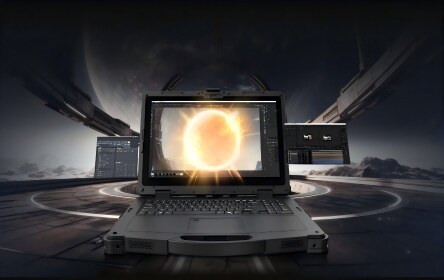




Windows Rugged Tablet Buying Guide: 7 Features to Consider
Choosing a Windows rugged tablet is a workflow decision, not only a screen-size or CPU decision. Field teams need a device that runs the required Windows software, remains usable in the actual work environment, lasts through the shift, and connects to the equipment and networks already in place. The right rugged tablet is the one whose evidence matches your operating conditions.
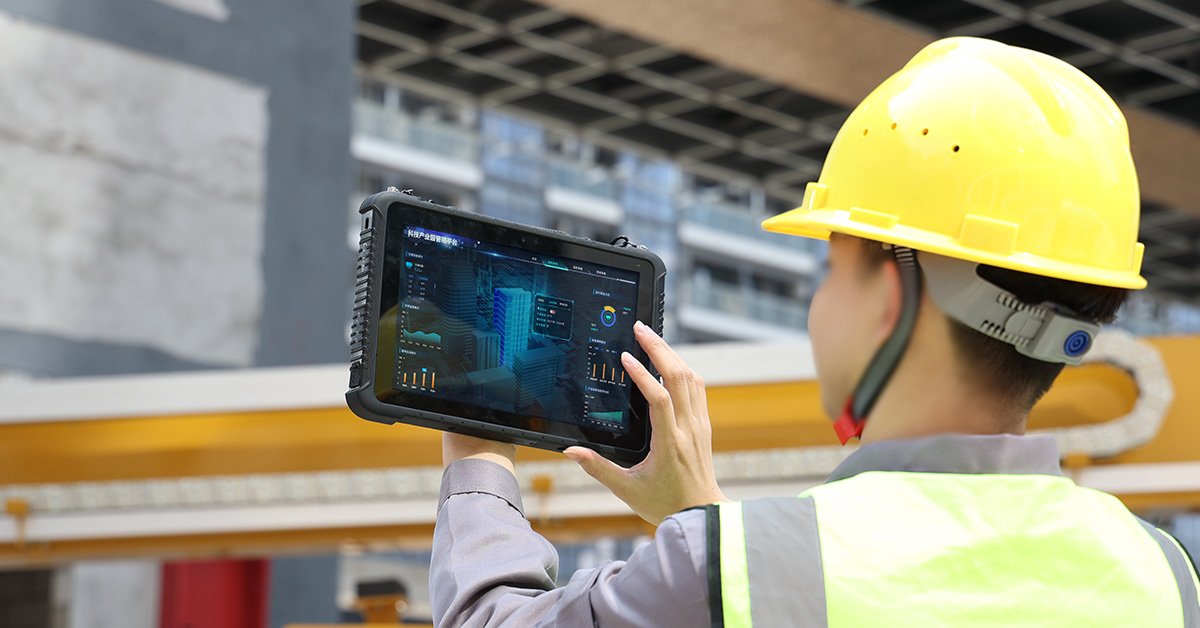
Key Takeaways
- Confirm Windows edition, processor architecture, drivers, and security policies before comparing hardware.
- Read IP and MIL-STD claims together with test methods, conditions, and the final device configuration.
- Specify display brightness, touch behavior, and accessories for the real light, gloves, and work posture.
- Evaluate battery replacement, charging, and docking as a complete shift-power plan.
- Treat ports, wireless radios, GNSS, scanning, and mounting as workflow requirements.
- Request lifecycle, management, service, and configuration support details before issuing a purchase order.
1. Windows Edition and Application Compatibility
The first feature to verify is whether the tablet can run your complete software stack, including drivers, security tools, and peripherals. Windows 11 has minimum requirements for a compatible 64-bit processor, 4 GB of RAM, 64 GB of storage, UEFI Secure Boot, TPM 2.0, and a compatible display, but a field application can require more than the operating-system baseline. Microsoft's current requirements should be treated as a starting point, not a project specification.
For a business deployment, compare Windows 11 Home, Pro, and IoT options against the way devices will be enrolled, restricted, updated, and supported. Check domain or Entra ID workflows, mobile-device management, BitLocker policy, kiosk requirements, remote support, and the software vendor's supported Windows release. A Windows 11 Pro tablet may be the better fit for centralized administration, while a fixed-function deployment may call for an IoT image. The answer depends on your management model and application contract.
Processor architecture also matters. Intel and AMD platforms generally simplify compatibility with existing x86 Windows drivers and utilities. ARM-based Windows tablets can reduce power draw and weight, but you should test every critical application, scanner driver, serial adapter, VPN client, and peripheral before committing to a fleet.
- Which Windows edition and language image are included in the quoted configuration?
- Does the processor architecture support every required application and device driver?
- Are TPM 2.0, Secure Boot, BIOS controls, BitLocker, and your MDM workflow available?
- How are Windows updates, driver packages, recovery images, and security patches handled?
2. Protection Claims You Can Verify
"Rugged" has value only when the protection claim matches the environment and is supported by test evidence. An IP code addresses enclosure protection against solids and water under defined test conditions. IEC 60529 is the international standard that defines the degrees of protection provided by enclosures, so ask which IP rating applies to the complete tablet, which accessories are fitted, and whether port covers must be closed during the test. See the IEC 60529 consolidated publication for the standard's scope.
MIL-STD-810 should be read with equal care. The U.S. Defense Logistics Agency describes MIL-STD-810 as an environmental engineering and laboratory-test framework that uses an environmental tailoring process. It is not one universal pass level for every rugged device. The DLA document record explains why the test method and the selected conditions matter.
For an RFQ, request the exact drop height, test method, number of drops, operating state, temperature and humidity range, vibration profile, and the report or declaration that applies to the quoted model. Also ask what happens after the tablet is fitted with a keyboard, hand strap, vehicle dock, external antenna, or barcode module. A protection rating can be valid for the base device while an installed accessory changes the exposure.
- IP rating for the exact model and configuration, including the water-test condition.
- MIL-STD-810 method numbers and procedures, not only the standard name.
- Drop height and test orientation, plus the operating and storage temperature range.
- Protection of connectors, buttons, speakers, cameras, and removable batteries in daily use.
3. Display and Touch That Fit the Work
Display specifications should describe the work surface, not only the diagonal measurement. Outdoor teams need enough brightness and contrast for the actual light, while warehouse and service teams may prioritize wide viewing angles, low glare, and comfortable one-handed use. A 10.1-inch panel can be easier to carry than a 12.2-inch panel, but the larger screen may reduce scrolling in inspection forms or drawings.
Brightness is normally stated in nits, but the number alone does not guarantee sunlight readability. Ask about the display finish, optical bonding, anti-glare treatment, automatic brightness behavior, and visibility with the protective film that will be used in production. Touch performance also needs a field test: gloves, wet fingers, rain, dust, and an active stylus can produce different results from a clean-finger demonstration.
Emdoor's current Windows tablet pages show examples of high-brightness configurations, including 700-nit displays on the EM-I10A and EM-IS19N pages. Treat those values as model-specific specifications and confirm the final panel, touch mode, stylus option, and regional configuration during quotation.
- Screen size and aspect ratio for forms, drawings, barcode views, or GIS maps.
- Brightness, anti-glare treatment, and readability in the actual work area.
- Glove, wet-touch, stylus, and palm-rejection behavior.
- Camera placement, speaker audibility, and screen protection when the tablet is docked or mounted.
4. Battery and Charging for the Whole Shift
A rugged tablet needs a power plan that covers the whole shift, including startup, wireless use, scanning, camera capture, screen brightness, and cold-weather operation. Battery capacity in mAh is useful for comparing packs, but it does not predict runtime without voltage, workload, display settings, and temperature. Ask for a runtime test that resembles your application rather than relying on an idle figure.
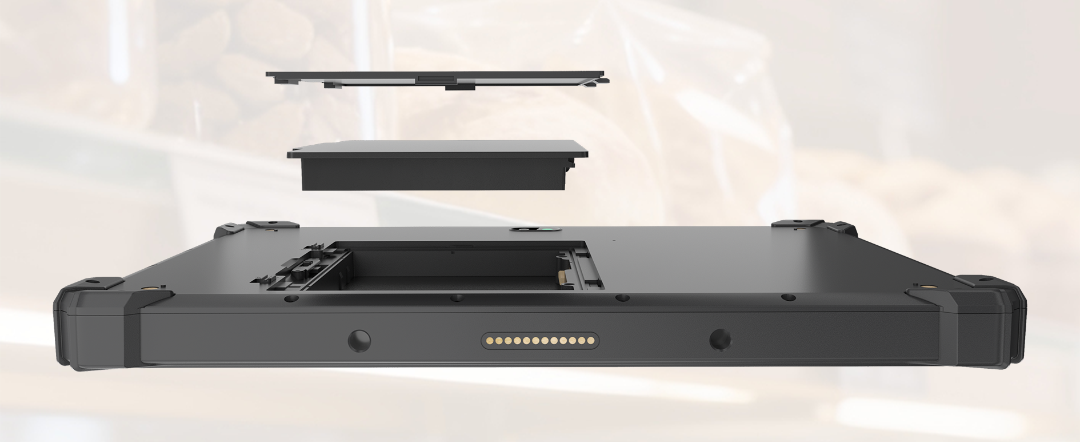
For long or mobile shifts, compare removable batteries, hot-swapping, internal bridge batteries, charging docks, vehicle chargers, USB-C Power Delivery, and spare-pack logistics. Emdoor's EM-I10A page describes a dual-battery design with a hot-swappable main battery and an internal bridge battery. That feature can be valuable when an operator must replace a pack without closing a Windows application, but the replacement procedure and supported accessories still need to be confirmed for the quoted configuration.
Power also affects the mounting plan. A tablet used in a vehicle may need a locked dock, external power, an antenna pass-through, and a way to remove the device without damaging the connector. A warehouse team may prefer spare batteries and a charging cabinet. Select the power architecture together with the daily route and the service process.
- Measured runtime for your application, brightness, radios, scanner, and temperature range.
- Main and internal battery arrangement, cycle rating, field replacement, and hot-swap behavior.
- Charger, dock, vehicle-power, and spare-battery availability.
- Battery transport, storage, and replacement procedures for each operating region.
5. Connectivity, Ports, and Data Capture
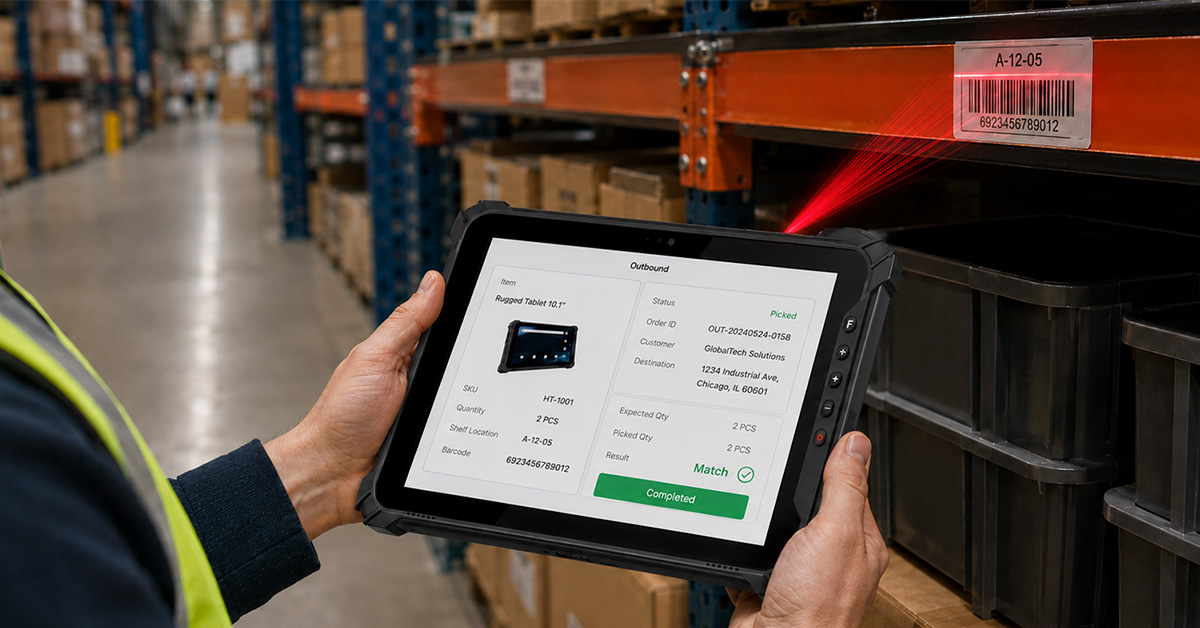
The best rugged tablets reduce the number of separate devices and adapters an operator must carry. Map every workflow to a physical or wireless interface: Wi-Fi coverage, cellular bands and SIM type, GNSS accuracy, NFC, barcode scanning, cameras, audio, Ethernet, RS-232, USB, HDMI, and the docking connector. A tablet that looks well connected in a brochure can still miss one legacy port or radio band your project depends on.
Start with the data path. A field-service technician may need a camera, NFC badge, serial connection, and VPN over 4G. A warehouse operator may need a scan engine, Wi-Fi roaming, a hand strap, and a charging dock. A utility inspector may need GNSS, sunlight readability, a high-capacity battery, and offline forms. Confirm whether each function is built in, optional, available only through a dock, or delivered by a separate accessory.
Emdoor's EM-I10A page lists interfaces such as RJ45 Ethernet, RS-232, USB, USB-C, mini HDMI, SIM/TF slots, and a 2D scanner option. The EM-Q89 page describes 4G LTE, Wi-Fi, Bluetooth, GPS, cameras, and an optional barcode scanner. These examples show why the model should be selected from the workflow outward. The final port map and radio bands must match the quoted regional SKU.
- Required cellular bands, SIM/eSIM format, Wi-Fi generation, Bluetooth profile, and GNSS systems.
- Barcode symbologies, scan distance, trigger location, NFC type, camera resolution, and audio needs.
- Physical ports, connector protection, docking pinout, and adapters for existing equipment.
- Whether radios and capture modules can be disabled or managed under your security policy.
6. Performance, Storage, and Thermal Behavior
Choose performance from the workload you need to keep responsive. Forms and barcode applications may run well on an efficient entry processor, while machine diagnostics, GIS, computer-aided drawings, local databases, or video analysis can require more CPU, RAM, storage, and graphics headroom. Compare the complete configuration, not the processor name alone.
Ask the supplier to test your application image on the proposed memory and storage configuration. Include startup time, offline operation, data synchronization, scanner input, video calls, and Windows updates. Sustained performance can also change with enclosure temperature, fan policy, and charging state, so a short benchmark is less useful than a scenario test that reflects the shift.
Architecture is part of this decision. Emdoor's EM-Q89 is presented as a Windows 11 Pro ARM rugged tablet, while the EM-I10A is presented with Intel Core i5/i7 options. Both can be valid, but they should enter the same compatibility test before a fleet decision. Confirm storage expansion, service access, recovery media, and the process for replacing a failed drive or system board.
- CPU, RAM, storage type and capacity, graphics needs, and sustained thermal behavior.
- Compatibility with the exact Windows image, drivers, VPN, scanner, and line-of-business applications.
- Recovery image, BIOS update process, storage serviceability, and data-wipe procedure.
- Performance evidence from a realistic workflow, not only a synthetic benchmark.
7. Manageability, Accessories, and Lifecycle Support
A rugged tablet is a fleet asset, so lifecycle support can matter as much as the first unit price. Before approval, confirm how the supplier handles device images, BIOS and driver releases, spare batteries, docks, hand straps, keyboards, vehicle mounts, repair, replacement, and end-of-life notices. The most capable device can become expensive if a missing accessory or unavailable battery stops a shift.
IT and engineering teams should also agree on enrollment and control. Verify UEFI settings, Secure Boot, TPM, Windows edition, MDM enrollment, kiosk or assigned-access mode, remote diagnostics, and the permissions available to local operators. For OEM and integrator projects, add the required logo, housing, connector, scanner, camera, mounting, and software changes to the same configuration document as the tablet itself.
Emdoor's rugged tablet category positions products for inspection, logistics, field mobility, vehicle or forklift use, and OEM projects, with project-fit configuration support. Use the category page as the starting point for a shortlist, then request a model and accessory matrix that records the exact SKU, regional radios, operating system, protection evidence, and support terms.
- Supported Windows lifecycle, driver and BIOS policy, device enrollment, and remote support.
- Availability of spare batteries, docks, keyboards, vehicle mounts, scanners, and replacement parts.
- Warranty scope, repair path, service location, and expected response process.
- OEM/ODM customization, minimum order requirements, sample validation, and change control.
A Practical Shortlist Matrix
Use this matrix before requesting a quotation. It keeps the discussion tied to the work that the tablet must complete.
| Deployment need | Priority to define | Evidence to request |
|---|---|---|
| Indoor warehouse scanning | Scan engine, Wi-Fi roaming, hand strap, dock | Scan tests, supported symbologies, Wi-Fi and accessory list |
| Outdoor inspection | Brightness, touch with gloves, GNSS, camera, battery | Outdoor readability test, touch demo, GNSS details, runtime method |
| Utility or field service | Windows compatibility, cellular, serial or Ethernet, security | Application test, band matrix, port map, MDM and BIOS controls |
| Vehicle or forklift | Mount, external power, vibration exposure, one-hand use | Dock drawing, vehicle-power range, mounting and vibration evidence |
| OEM or integrator project | Custom I/O, image, label, volume, lifecycle | Configuration control, sample plan, change policy, service terms |
When a Rugged Tablet Is Not the Best Fit
A rugged tablet is not automatically the right device for every job. A consumer tablet with a protective case may be more economical for clean indoor work with low drop exposure. A rugged notebook can be better when operators type for long periods or need a larger keyboard. A fixed industrial panel PC may fit a machine-control station, while a rugged handheld may be easier for continuous scanning in narrow aisles.
Make the comparison against the complete workflow cost: cases, docks, batteries, mounts, scanners, repairs, downtime, and software support. The winning option is the one that meets the field requirement with the fewest workarounds.
How to Turn the Seven Features Into an RFQ
- List every Windows application, driver, peripheral, and security control required in the deployment.
- Describe the environment with dust, water, drops, vibration, temperature, humidity, sunlight, gloves, and mounting conditions.
- Define the shift, charging points, battery replacement method, and backup-device plan.
- Draw the data path for Wi-Fi, cellular, GNSS, NFC, scanning, cameras, and physical ports.
- Specify performance using a real application image and a repeatable scenario test.
- Add the accessory, management, repair, customization, and lifecycle requirements to the same document.
- Ask each supplier to return a model, regional SKU, evidence pack, accessory matrix, and exceptions list.
Emdoor Windows Rugged Tablet Examples
Emdoor's rugged tablet category is the right place to compare current Windows, Android, and Linux configurations by size, operating system, function, and deployment scene.
- EM-I10A: a 10.1-inch Windows 11 industrial rugged tablet page with Intel Core i5/i7 options, a high-brightness display, multiple industrial interfaces, IP65 and MIL-STD-810H claims, and a hot-swappable battery design.
- EM-Q89: an 8-inch Windows 11 Pro ARM rugged tablet page aimed at compact field work, with cellular, GPS, camera, scanning, and IP65/drop-resistance information.
- EM-IS19N: a slim Windows tablet page focused on mobile field work, with a 10.1-inch high-brightness display and integrated connectivity and data-capture options.
Product pages and configurations can change. Before ordering, ask Emdoor to confirm the final operating system, radio bands, protection evidence, accessories, battery, regional availability, and support terms for your project.
Frequently Asked Questions
What makes a tablet a rugged tablet?
A rugged tablet combines a device design and a verified configuration intended for harsher handling or environmental exposure than a consumer tablet. Look for evidence covering enclosure protection, drops, temperature, vibration, touch use, connectors, batteries, and the accessories used in the field. The label alone is not a test result.
Is Windows 11 Pro better than Windows 11 Home for a business tablet?
Neither edition is automatically better for every deployment. Pro may fit organizations that need centralized administration and business security controls, while a fixed-function or embedded deployment may require a different Windows edition. Confirm the edition against your MDM, identity, kiosk, encryption, update, and application requirements.
Do IP67 and MIL-STD-810H mean the same thing?
No. An IP code describes enclosure protection against solids and water under defined conditions. MIL-STD-810 describes an environmental engineering and test framework whose methods and tailored conditions must be identified. Ask for both the IP test condition and the specific environmental test evidence.
How many nits does an outdoor Windows rugged tablet need?
There is no single brightness number that works for every site. Evaluate brightness with the panel finish, contrast, viewing angle, automatic dimming, screen protector, and touch behavior in the actual sunlight and task environment. A supplier demonstration is more useful than a brightness number without test conditions.
Are Windows rugged tablets suitable for warehouse barcode work?
They can be, when the scanner, trigger, Wi-Fi roaming, hand strap, battery, and dock match the warehouse workflow. Confirm supported 1D and 2D symbologies, scan distance, scan speed, glove use, charging practice, and the software driver before selecting a model.
Next Step
Prepare the seven-feature checklist above and send it with your application, environment, shift, and accessory requirements. You can then review Emdoor's rugged tablet configurations and request a model matrix for your Windows deployment.
Reference Sources
- Emdoor Rugged Tablet category
- Emdoor EM-I10A Windows 11 industrial rugged tablet
- Emdoor EM-Q89 8-inch Windows rugged tablet
- Emdoor EM-IS19N rugged Windows tablet
- Microsoft Windows 11 specifications and system requirements
- IEC 60529, Degrees of protection provided by enclosures (IP Code)
- U.S. DLA ASSIST, MIL-STD-810 document record