



Updated: June 2026 | Topic: Rugged Windows Tablet, Commercial Rugged Tablet, Retail Tablet, Hospitality Tablet, Mobile Data Capture
Quick answer: the EM-IS19J is an ultra-slim commercial rugged Windows tablet built for retail, food and beverage, hospitality, warehouse, and field service workflows. It combines a 12.7mm thin body, 930g lightweight design, Intel N5100 processor, Windows 11, a 10.1-inch 1920×1200 display, 700-nit brightness, active stylus support, NFC, 1D/2D barcode scanning, fingerprint login, dual cameras, IP67 protection, MIL-STD-810H durability, 1.8m drop resistance, 4800mAh battery, dual Type-C ports, Pogo Pin expansion, and a full accessory ecosystem in one mobile business device.
Use EM-IS19J for mobile ordering, checkout assistance, digital forms, customer service, and on-site business workflows.
Use barcode scanning, NFC, fingerprint login, dual cameras, and stylus input to collect, verify, and confirm business data.
Prioritize IP67, MIL-STD-810H, 1.8m drop resistance, reinforced corners, and a slim rugged structure for daily front-line use.
For broader product options, compare this launch with our rugged tablet category.
Many commercial mobile projects start with a simple idea: give front-line teams a tablet and make daily work faster. But in real stores, restaurants, hotels, warehouses, and service counters, a standard consumer tablet often reaches its limit quickly. It may look good on day one, but it may not be built for repeated handover, barcode scanning, wet counters, docking, customer signatures, shared-user login, or long shifts.
The EM-IS19J rugged Windows tablet is designed for this middle ground. It is not a heavy industrial tablet that feels out of place in customer-facing environments, and it is not a fragile consumer device that needs too many external accessories to become useful. Instead, it brings Windows workflows, data capture, rugged protection, mobile connectivity, and accessory expansion into a slim commercial tablet form.
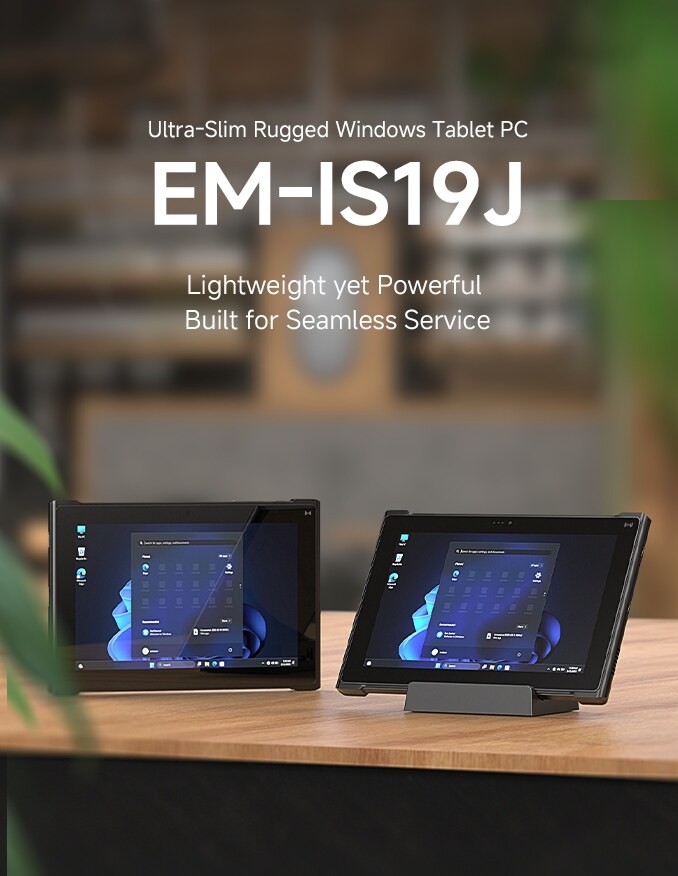
What Is the EM-IS19J Rugged Windows Tablet?
The EM-IS19J is a 10.1-inch ultra-slim rugged Windows tablet PC designed for commercial mobile workflows. It is built for teams that need a Windows-based device for service, checkout, inventory, identification, digital signatures, photo records, and data collection, but still want the tablet to stay light, clean, and easy to handle.
In practical terms, EM-IS19J can work as a mobile POS tablet, a retail inventory tablet, a hospitality service tablet, a warehouse scanning device, a digital signature terminal, or a field service Windows tablet. With the right accessories, it can also move between handheld use, counter use, desktop-style typing, payment workflows, and docking scenarios.
Practical view: if your team needs Windows software, barcode scanning, NFC, fingerprint login, digital signature, customer-facing service, and stronger protection than a consumer tablet, EM-IS19J is a better starting point than a standard commercial tablet.
EM-IS19J at a Glance
| Area | Key Information | Business Value |
|---|---|---|
| Form factor | 12.7mm thin body, 930g lightweight design | Easier to carry, hand over, dock, and use during mobile service. |
| System platform | Windows 11 with Intel N5100 processor | Supports familiar Windows business software and enterprise workflows. |
| Display | 10.1-inch, 1920×1200, 700 nits, 16:10 | Useful for forms, order pages, inventory lists, service records, and Windows interfaces. |
| Data capture | 1D/2D scanner, NFC, fingerprint, 8MP rear + 5MP front cameras | Reduces the need for separate scanner, card reader, login device, and camera tools. |
| Protection | IP67, MIL-STD-810H, 1.8m drop resistance | Helps the device survive spills, dust, drops, and repeated daily handling. |
| Expansion | Dual Type-C ports, Pogo Pin, docks, keyboard, stands, straps, payment module | Supports handheld, counter, desktop, payment, and fixed workstation scenarios. |
Why Commercial Teams Need a Rugged Windows Tablet
Retail, hospitality, restaurant, warehouse, and field service teams often work in places where devices are touched by many users, moved between stations, placed on counters, handed to customers, scanned repeatedly, and exposed to dust, liquid, drops, and vibration. A consumer tablet may work in a meeting room, but the work floor is different.
A commercial rugged Windows tablet solves a more specific problem: it keeps the familiar Windows software environment while adding the physical protection and integrated data capture tools needed by front-line workers. That is the main reason EM-IS19J makes sense for service-heavy industries.
Where Consumer Tablets Struggle
- Limited protection against drops, dust, and water exposure.
- Extra accessories needed for scanning, NFC, docking, and payment.
- Weak shared-user access control for staff workflows.
- Higher risk of damage during customer-facing or warehouse tasks.
Where EM-IS19J Fits
EM-IS19J is suitable when teams need Windows applications, mobile data capture, signature input, payment or membership workflows, rugged protection, and optional accessory expansion in one device.
Ultra-Slim Design: 12.7mm Body and 930g Weight
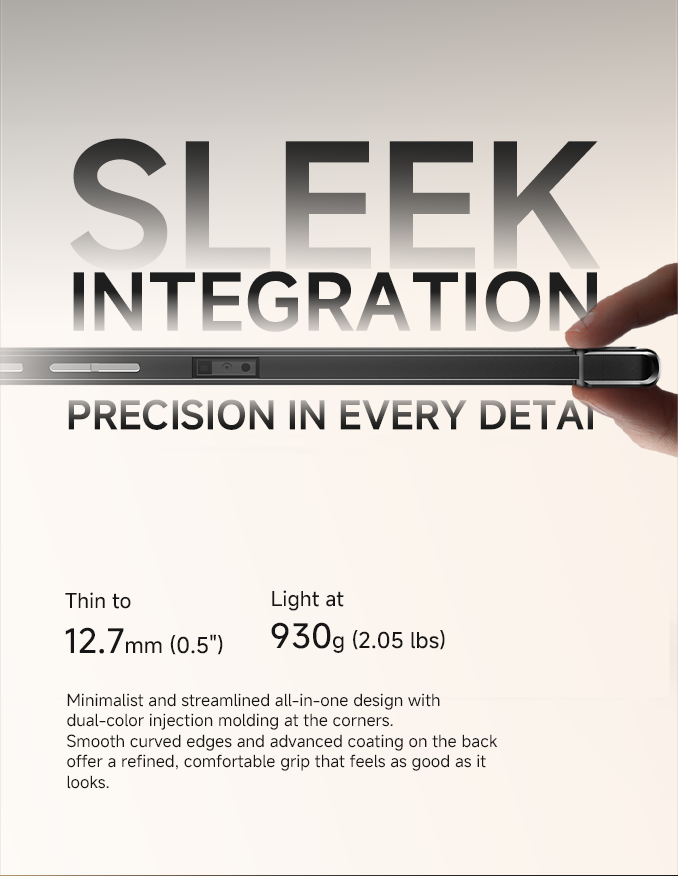
Rugged does not always need to mean bulky. The EM-IS19J uses a 12.7mm ultra-slim body and weighs about 930g, making it easier for staff to carry through a shift, use at a customer table, or place on a counter stand. The streamlined structure, curved edges, dual-color corner design, and refined back coating are all aimed at improving daily handling.
This matters because commercial users often interact with customers while holding the device. The tablet should feel professional, not overly industrial. It should look appropriate in a hotel lobby or retail store while still offering real rugged protection.
Intel N5100 and Windows 11 for Practical Business Performance
The EM-IS19J is equipped with the Intel N5100 processor, supporting 4 cores and 4 threads, with a maximum frequency of up to 2.8GHz. Together with Windows 11, 8GB LPDDR4x memory, and 128GB eMMC storage, it provides a practical platform for commercial software, mobile POS tools, inventory applications, membership systems, service records, browser-based dashboards, and field forms.
It is not positioned as a workstation for heavy computing. Its value is in running common business applications reliably in mobile environments where staff need the flexibility of a tablet and the compatibility of Windows.
| Performance Item | EM-IS19J Information | Typical Business Use |
|---|---|---|
| Processor | Intel N5100, 4 cores / 4 threads | POS, inventory, forms, dashboard, customer service, and light multitasking. |
| Operating system | Windows 11 | Compatibility with Windows-based business software and peripherals. |
| Memory and storage | 8GB LPDDR4x + 128GB eMMC | Daily commercial workloads, service records, order handling, and data capture. |
Display: 10.1-Inch, 1920×1200, 700 Nits and 16:10
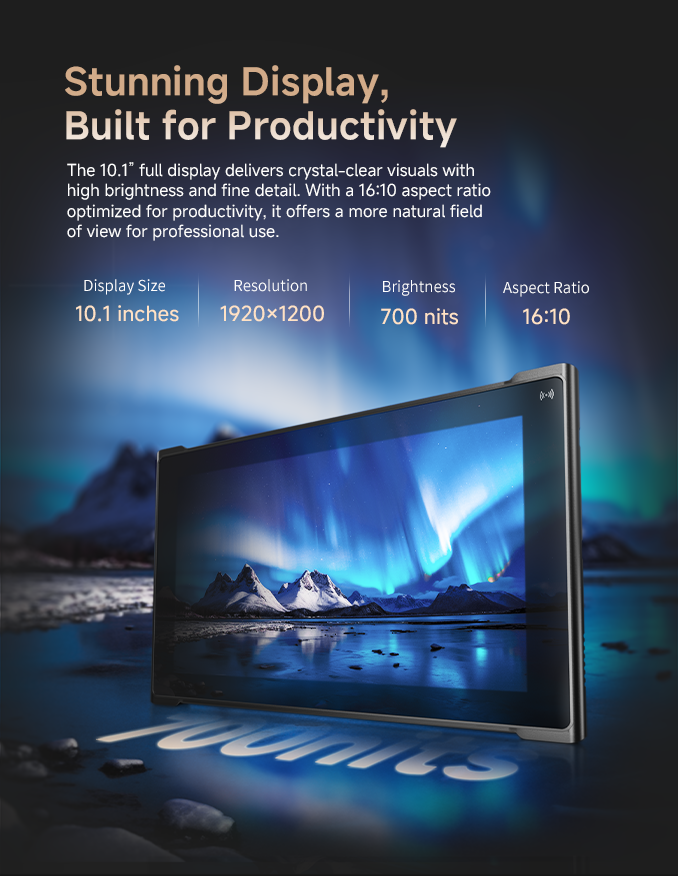
The EM-IS19J features a 10.1-inch full display with 1920×1200 resolution, 700-nit brightness, and a 16:10 aspect ratio. This format is useful for commercial workflows because many business applications are built around forms, lists, records, menu items, and status pages.
In a restaurant, staff may view table orders and queue information. In retail, they may check product details and stock levels. In hospitality, they may manage guest check-in, room service, and membership data. A brighter 16:10 display gives users more usable space for these daily tasks.
Active Stylus Support for Writing, Signing and Digital Forms
The EM-IS19J supports active stylus input for handwriting, form filling, digital signatures, and annotation. Launch materials highlight Microsoft MPP 2.0 compatibility, 4096 levels of pressure sensitivity, ultra-low latency, and a magnetic stylus cap.
This is especially useful when the tablet is used for customer confirmation. A hotel guest can sign a check-in form. A delivery worker can collect proof of receipt. A service technician can annotate a maintenance record. A retail associate can complete a customer approval form directly on the Windows tablet.
All-in-One Data Collection: Scanner, NFC, Fingerprint and Cameras
Data collection is where EM-IS19J becomes more than a thin Windows tablet. It integrates a top-mounted 1D/2D barcode scan engine, front NFC reader, rear fingerprint login, and 8MP rear + 5MP front cameras. This helps front-line teams scan products, verify memberships, confirm staff identity, record photos, and support video communication with fewer external tools.
| Data Capture Feature | How It Helps | Example Workflow |
|---|---|---|
| 1D/2D barcode scanner | Captures product, asset, parcel, and inventory codes. | Retail stock check, warehouse inventory, asset tracking, mobile checkout. |
| Front NFC reader | Supports tap-and-go identification and card reading. | Membership validation, staff ID, access check, customer service workflows. |
| Rear fingerprint login | Supports shared-device user access and staff login. | Shift handover, controlled application access, multi-user business operation. |
| Dual cameras | Supports photo records and video communication. | Service documentation, inspection proof, video call, customer support. |
Battery, Wi-Fi 5 and Optional 4G/5G Connectivity
The EM-IS19J includes a 4800mAh high-capacity battery and supports 33W PD fast charging. It also supports Wi-Fi 5 and optional 4G/5G connectivity, helping teams stay connected in retail stores, hospitality environments, mobile service points, and warehouse areas.
For commercial work, battery and connectivity should be evaluated together. A mobile tablet needs enough runtime for active use, but it also needs practical charging options and stable wireless access where the work actually happens.
Expansion: Dual Type-C Ports, Pogo Pin and Accessory Support
EM-IS19J is equipped with dual full-function Type-C ports and a Pogo Pin interface. The launch materials highlight support for HDMI output, audio transmission, charging docks, leather keyboards, and peripheral accessories. This helps the same tablet adapt to handheld use, desktop typing, counter operation, and service delivery.
Pair the tablet with a hand strap or rotatable strap for warehouse, field service, retail floor, and mobile data capture.
Pair it with a simple stand, docking charger, keyboard, or payment module for retail checkout and customer service.
Pair it with a keyboard, stand, and Type-C expansion to support form entry, service records, and Windows workflows.
Rugged Protection for Commercial and Field Environments
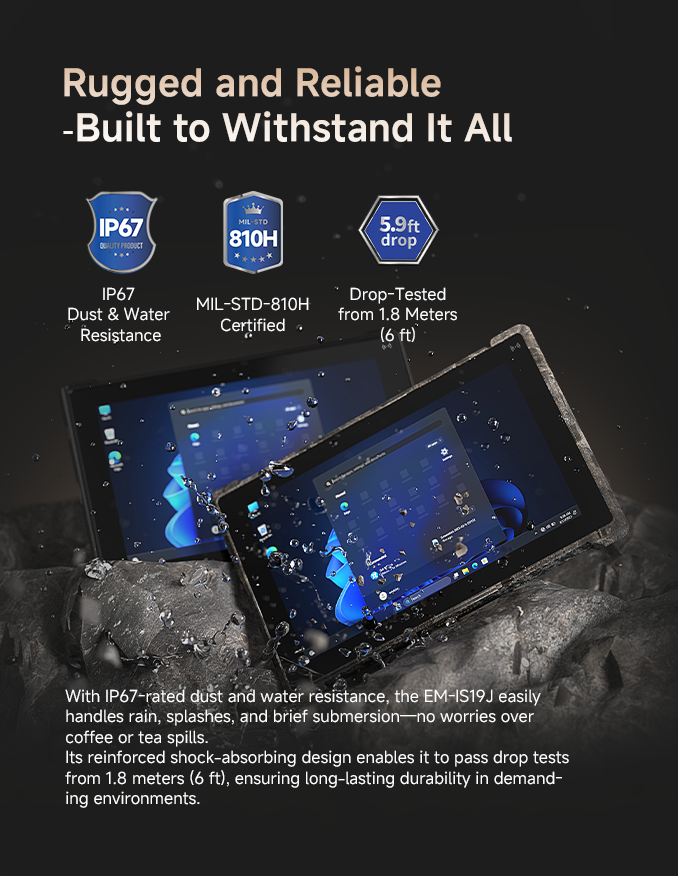
The EM-IS19J is designed with IP67-rated dust and water resistance, MIL-STD-810H durability, and 1.8m drop-tested protection. These features are important not only for outdoor work, but also for commercial environments where devices face spills, drops, dust, repeated handling, and shared use.
A rugged tablet does not need to look oversized to be useful. For EM-IS19J, the value is the combination of a refined slim body and stronger protection than a normal consumer tablet.
EM-IS19J vs Consumer Tablet vs Traditional Rugged Tablet
The EM-IS19J sits between two common choices. It is more professional and durable than a consumer tablet, but lighter and more business-friendly than many traditional thick rugged tablets. That makes it suitable for commercial teams that need ruggedness without sacrificing portability and customer-facing design.
| Device Type | Best Fit | Main Limitation | When to Choose |
|---|---|---|---|
| Consumer tablet | Light office use, simple browsing, personal apps. | Limited rugged protection and data capture support. | Choose only when scanning, NFC, ruggedness, and enterprise deployment are not required. |
| Traditional rugged tablet | Industrial field work, utilities, outdoor inspection, heavy-duty environments. | May be heavier or less suitable for customer-facing commercial use. | Choose when maximum ruggedness matters more than slimness and appearance. |
| EM-IS19J | Retail, hospitality, food service, warehouse, field service and mobile business. | Should be validated with final software and accessory setup before rollout. | Choose when Windows, portability, data capture, rugged protection and accessory expansion are all required. |
Industry Applications: Retail, Food & Beverage, Hospitality and More
The EM-IS19J is versatile enough for multiple commercial industries. Its strongest value appears when the same device needs to support customer interaction, data capture, Windows applications, and mobile workflows.
| Industry | Typical Workflows | Why EM-IS19J Fits |
|---|---|---|
| Food & Beverage | Table-side ordering, queue management, staff operations, order confirmation. | Slim design, Windows system, stylus signing, payment accessory and mobile connectivity. |
| Retail | Product lookup, inventory check, mobile checkout, membership validation, payment workflows. | Barcode scanning, NFC, payment module, camera records and rugged protection. |
| Hospitality | Guest check-in, room service, membership management, digital forms, front desk workflows. | Digital signature, keyboard accessory, stand support, Windows application compatibility. |
| Warehouse and field service | Inventory check, asset tracking, service records, proof photos, task confirmation. | 1D/2D scanner, cameras, hand straps, IP67 protection and optional mobile connectivity. |

A 6-Step Checklist Before Deploying EM-IS19J
A rugged Windows tablet project should be tested around the actual workflow, not only the specification sheet. Use this checklist before purchasing in quantity.
Install the POS, WMS, membership, service, form, or browser application that staff will actually use.
Check whether the workflow needs barcode scanning, NFC, fingerprint login, photos, video calls, or digital signature.
Decide whether each role needs a payment module, keyboard case, docking charger, stand, hand strap, or simple handheld setup.
Review readability under store lighting, window-side brightness, warehouse lighting, restaurant counters and outdoor service conditions.
Test Wi-Fi 5, optional 4G/5G, and device behavior in all work zones, not only in the office.
Let real users test hand feel, scanning speed, signature input, charging habits, accessory use, and daily operation before full deployment.
Common Mistakes to Avoid
Rugged tablet projects often fail because buyers only compare CPU, screen size, and price. For commercial mobile work, the real deployment experience depends on software, accessories, ergonomics, data capture, charging, network coverage, and staff acceptance.
| Mistake | What Happens | Better Approach |
|---|---|---|
| Using a consumer tablet for rugged commercial work | The device may need too many add-ons and may not survive repeated front-line use. | Choose a commercial rugged tablet when scanning, NFC, docking and protection are part of the workflow. |
| Ignoring accessories during evaluation | Staff may struggle with charging, typing, payment, grip, or counter use. | Build accessory bundles by role: cashier, server, front desk, warehouse operator or service technician. |
| Testing only on a desk | Real issues with glare, Wi-Fi, charging, handover, scanning angle and staff usage appear later. | Test in real stores, restaurants, hotels, warehouse aisles and service environments. |
| Looking only at performance | The tablet may be fast enough but still fail the daily workflow. | Evaluate software, ergonomics, data capture, ruggedness, accessories and battery together. |
Related Emdoor Rugged Products to Compare
If your team is evaluating EM-IS19J, it may also be useful to compare it with other Emdoor rugged device categories. For broader mobile tablet deployment, review the rugged tablet category. For fixed industrial display or HMI scenarios, compare with industrial PC products. If the device will stay inside vehicles or forklifts most of the day, review vehicle PC options.
A strong project plan may combine different devices by role. A retail associate may use EM-IS19J. A warehouse picker may use a rugged handheld. A forklift operator may use a vehicle-mounted computer. A production line may need an industrial panel PC. Choosing by workflow is usually safer than choosing one device for every user.
Final Recommendation: Choose EM-IS19J When Mobility and Data Capture Meet
The EM-IS19J is a strong fit when your project needs a tablet that is light enough for customer-facing commercial use, rugged enough for daily front-line work, and flexible enough to support Windows software, barcode scanning, NFC, fingerprint login, digital signatures, cameras, wireless connection and accessories.
It is not simply a thinner rugged tablet. It is a commercial mobile workstation that can move between handheld service, counter use, inventory work, payment workflows and field tasks. For teams upgrading retail, food service, hospitality, warehouse or mobile business operations, EM-IS19J offers a more integrated and deployment-friendly option.
FAQs About EM-IS19J Rugged Windows Tablet
What is the EM-IS19J?
The EM-IS19J is an ultra-slim commercial rugged Windows tablet designed for retail, food and beverage, hospitality, warehouse, field service and mobile data capture workflows.
What processor does EM-IS19J use?
The EM-IS19J launch materials highlight an Intel N5100 processor with 4 cores and 4 threads, supporting up to 2.8GHz frequency for common Windows business applications.
Does EM-IS19J support barcode scanning and NFC?
Yes. The EM-IS19J supports a top-mounted 1D/2D barcode scan engine and a front NFC reader for product scanning, membership validation, asset tracking and identity-related workflows.
What is the display specification of EM-IS19J?
The EM-IS19J features a 10.1-inch display with 1920×1200 resolution, 700-nit brightness and a 16:10 aspect ratio, making it suitable for forms, orders, inventory pages and Windows business interfaces.
How rugged is EM-IS19J?
The EM-IS19J is designed with IP67 dust and water resistance, MIL-STD-810H durability and 1.8m drop-tested protection for demanding commercial and field environments.
What accessories are available for EM-IS19J?
Launch materials show accessories including a card payment module, leather keyboard, simple stand, multi-function stand, docking charger, rotatable hand strap and single-hand strap.