



Related News
 16/17F, Emdoor Building, No.8 Guangke 1st Road, Pingshan District, Shenzhen

 16/17F, Emdoor Building, No.8 Guangke 1st Road, Pingshan District, Shenzhen


Enterprise digital transformation has pushed rugged handhelds, tablets, and vehicle-mounted terminals directly into frontline operations. These devices now support warehouse picking, smart manufacturing, retail checkout, fleet dispatch, power inspection, emergency response, and many other field workflows.
However, as device fleets continue to expand and deployment locations become increasingly scattered, the challenge is no longer only about buying durable hardware. True operational efficiency depends on keeping every device secure, updated, visible, and ready for work.
This is where Emdoor Rugged MDM becomes valuable. It helps enterprises centrally provision, monitor, configure, secure, and troubleshoot rugged Android devices across complex real-world environments.
Key Takeaways
- Rugged MDM Defined: A full-stack mobile device management system purpose-built for Android rugged terminals operating in industrial and frontline environments.
- Operational Relief: It helps reduce manual configuration bottlenecks, simplify remote troubleshooting, restrict unauthorized apps, and improve device fleet visibility.
- Tailored Scenarios: It supports specialized needs across warehousing, manufacturing, retail, fleet management, power inspection, and public services.
- Rapid Implementation: A practical deployment framework usually includes device selection, requirement alignment, platform activation, training, and continuous optimization.
Quick Answer: What Is Rugged MDM?
Rugged MDM is a mobile device management system designed for rugged Android devices used in demanding business environments. It allows IT and operations teams to centrally deploy, configure, secure, monitor, update, and support devices across different sites. For frontline operations, rugged MDM commonly includes batch enrollment, Wi-Fi and VPN configuration, app whitelist, kiosk mode, OTA updates, file distribution, remote control, geofencing, location visibility, and device status analytics.
Why Traditional Device Operations Become Difficult at Scale
Without centralized management, IT departments often fall into a reactive “firefighting” loop. A device fails, someone reports it, IT tries to understand the problem remotely, and operations slow down while the issue is being diagnosed. When this happens across hundreds or thousands of rugged devices, small problems quickly become expensive.
Slow, Manual Deployment
Business Impact: IT personnel must unbox and configure terminals one by one, delaying rollout and wasting technical hours.
Rugged MDM Response: Batch enrollment, automatic registration, and unified policy delivery.
Blind Remote Troubleshooting
Business Impact: Devices operate far from headquarters. When an app crashes or a system error appears, IT may not see what the user sees.
Rugged MDM Response: Remote screen view, remote control, screenshots, and operation logs.
Uncontrolled Security Gaps
Business Impact: Field workers may change settings or install unrelated apps, increasing data leakage and malware exposure risks.
Rugged MDM Response: App whitelist, kiosk mode, controlled app distribution, and policy enforcement.
Hidden Maintenance Costs
Business Impact: Without a visual dashboard, managers cannot easily track battery health, location, online status, or abnormal devices.
Rugged MDM Response: Real-time device visibility, grouping, alerts, and lifecycle monitoring.
What Emdoor Rugged MDM Is Built to Manage
Emdoor Rugged MDM should not be viewed as a single remote-control tool. A useful rugged MDM platform needs to support the complete lifecycle of frontline devices: before deployment, during daily work, when problems occur, and when business requirements change.
Device ManagementView online status, device grouping, policy status, and operating condition from a centralized dashboard.
Device ConfigurationPush Wi-Fi, VPN, proxy, Bluetooth, camera, button, status bar, and system settings in batches.
Remote ControlView and control on-site screens, capture screenshots, and check operation logs for faster diagnosis.
App ManagementDistribute approved applications, restrict unauthorized software, and apply kiosk mode when needed.
File ManagementPush SOPs, eSOPs, manuals, notices, or work documents to selected teams or devices.
OTA UpdatesDeliver system and application updates to keep device versions more consistent across sites.
Data AnalyticsReview device status, online trends, operating condition, and potential management risks.
GMS MDM SupportSupport Android rugged devices where Google Mobile Services and enterprise device management are required.
For Android dedicated devices, Google notes that company-owned devices can be restricted to a single app or a small set of apps for use cases such as digital signage, ticket printing, or inventory management.[2] This is closely aligned with rugged device scenarios, where the terminal usually exists to complete a specific business task rather than serve as a general-purpose personal device.
Scenario 1
Warehousing & Logistics: Seamless Batch Provisioning
In a high-throughput fulfillment center, speed determines profitability. Introducing hundreds of barcode scanners, rugged handhelds, or rugged tablets can easily create an administrative bottleneck if each device must be configured manually.
Fragmented firmware versions and inconsistent network settings also make security policies harder to standardize. One device may be connected to the correct Wi-Fi profile, another may still use outdated VPN settings, and another may miss critical patches.
How Rugged MDM Helps
- Zero-Touch Enrollment: Devices can register with the central management platform when they start up, reducing manual setup work.
- Unified Parameter Push: Wi-Fi profiles, VPN access, proxy configurations, Bluetooth, camera, buttons, and status bar settings can be delivered centrally.
- Silent System Upgrades: OS patches and updates can be pushed during off-peak periods to help maintain version consistency and reduce disruption.
For warehouse scanning, picking, inventory checking, and logistics workflows, rugged handhelds are often the most practical device type, especially when barcode scanning, mobile data collection, and long-shift operation are required.
Scenario 2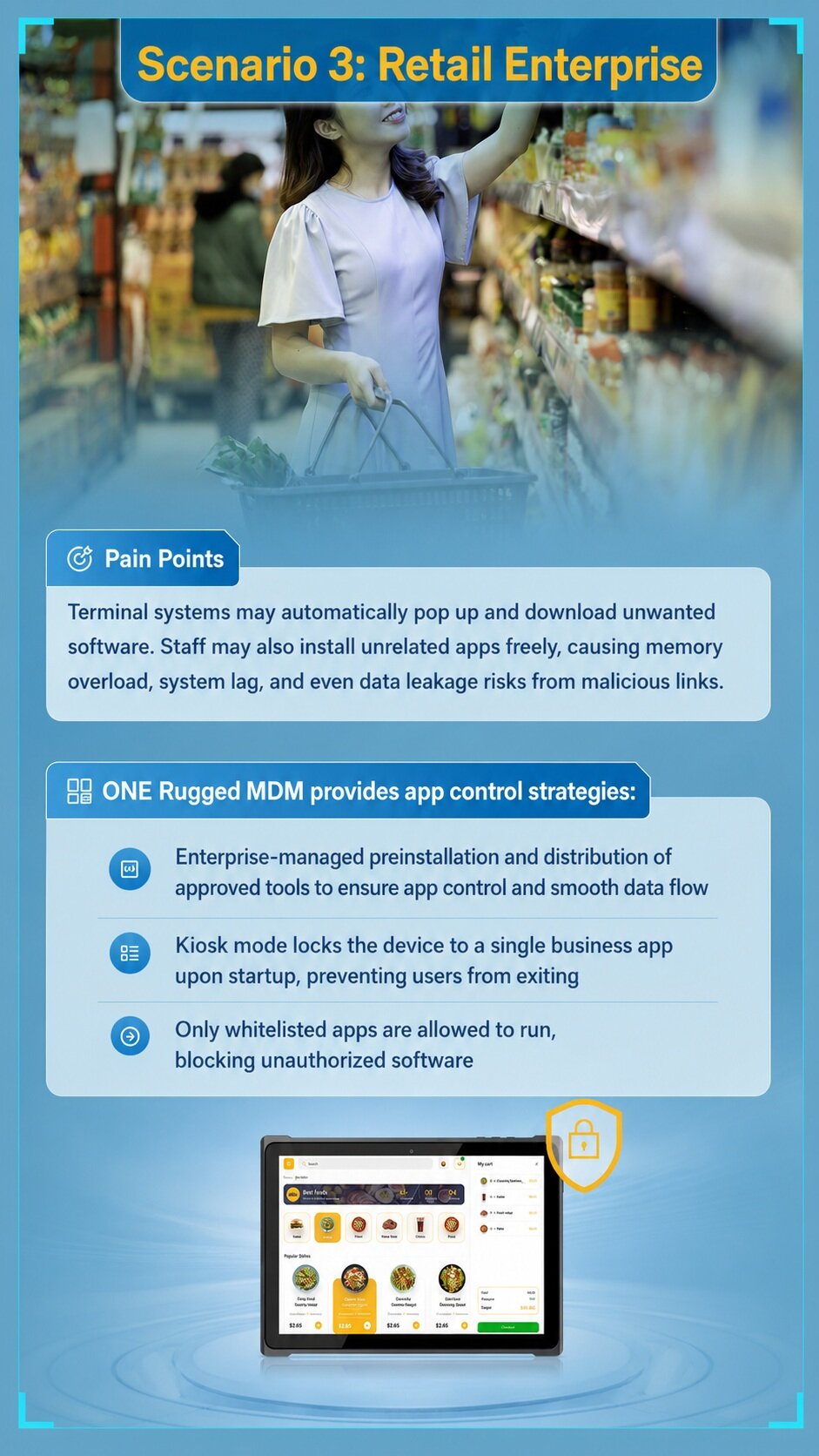
Smart Manufacturing: Remote Operational Standardization
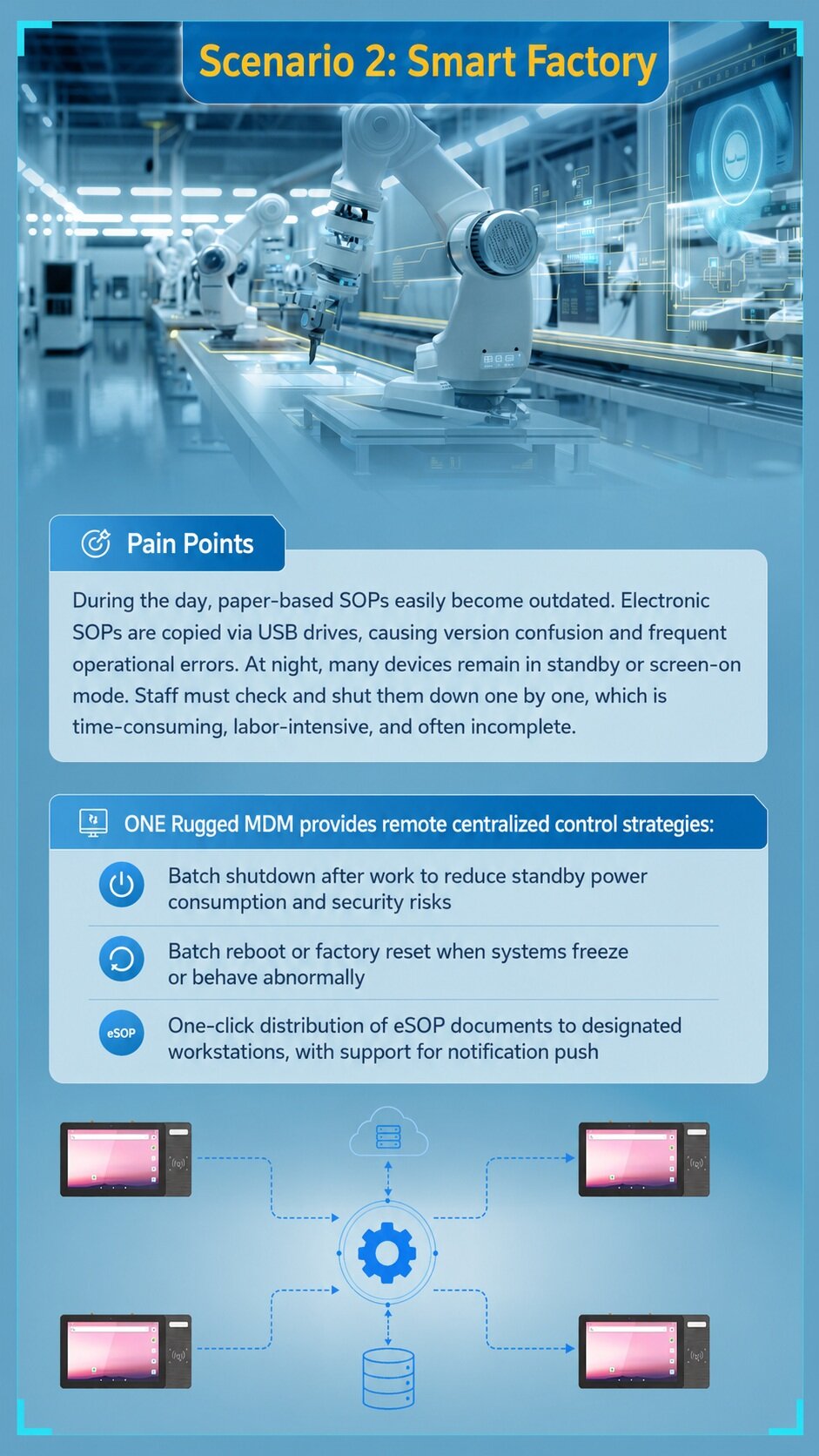
Factory floors depend heavily on precise workflows. Paper-based SOPs go out of date quickly, while updating electronic copies manually through USB drives often creates version confusion. When shifts change, leaving equipment idle and powered on may also waste energy and introduce unnecessary security risks.
How Rugged MDM Helps
- Automated Power Management: Administrators can schedule batch shutdowns or low-power rules at the end of a shift.
- Remote Reboot and Reset: If a terminal freezes or behaves abnormally, IT can trigger remote reboot or reset actions based on policy needs.
- Instant eSOP Distribution: Updated digital work instructions can be pushed to selected workstations with notification support.
Practical workflow: Upload the latest eSOP document, select target workstation devices, push the file and notification, confirm delivery status, and apply remote restart or shutdown policies when required.
The value is not only file delivery. It is production consistency. When every workstation receives the same latest instructions, operational errors caused by outdated documents can be reduced.
Scenario 3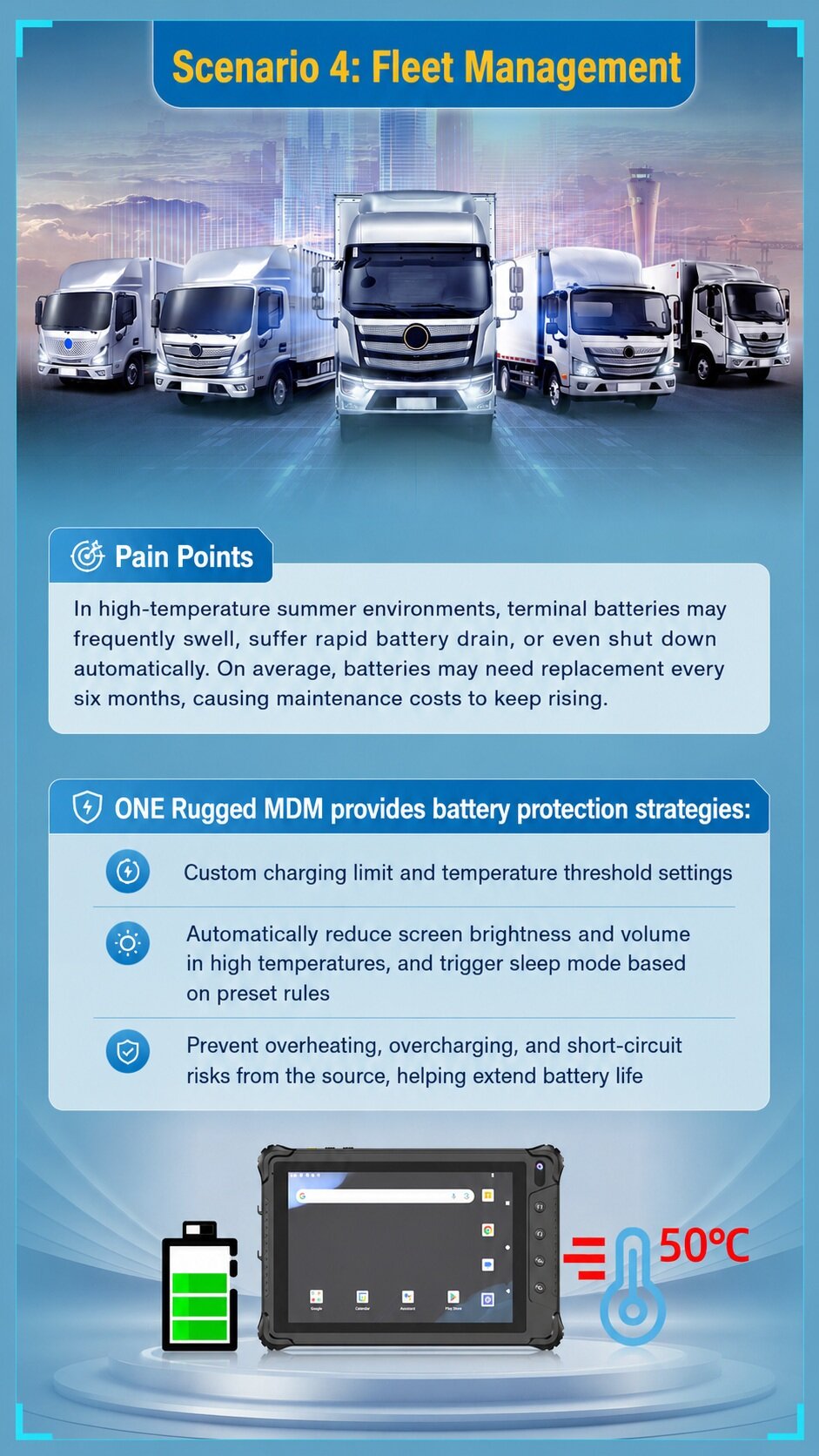
Retail Enterprise: Strict Application Guardrails
In retail and hospitality environments, customer-facing tablets and POS terminals should not display random pop-ups, run entertainment apps, or allow users to freely browse unrelated sites. Unrestricted access may slow down the device, increase data risks, and interrupt store workflows.
How Rugged MDM Helps
Emdoor Rugged MDM helps establish app control strategies. Administrators can deploy approved applications, restrict unapproved software, and apply kiosk mode to keep the device focused on one business app or a controlled set of apps.
Google’s Android Management API explains that in kiosk mode, a designated kiosk app can launch automatically when the device boots, run in full-screen mode, and remain pinned to prevent users from leaving the app.[3] For retail terminals, this helps keep the workflow focused on checkout, ordering, membership registration, or inventory tasks.
Unapproved Apps Are Installed
MDM Control: App whitelist and approved app distribution.
Expected Value: Cleaner and more controlled system environment.
Staff Exits the Business App
MDM Control: Kiosk mode.
Expected Value: More stable frontline workflow.
Malicious Links or Downloads Appear
MDM Control: Restricted browser and application access.
Expected Value: Lower data leakage and malware exposure risk.
Scenario 4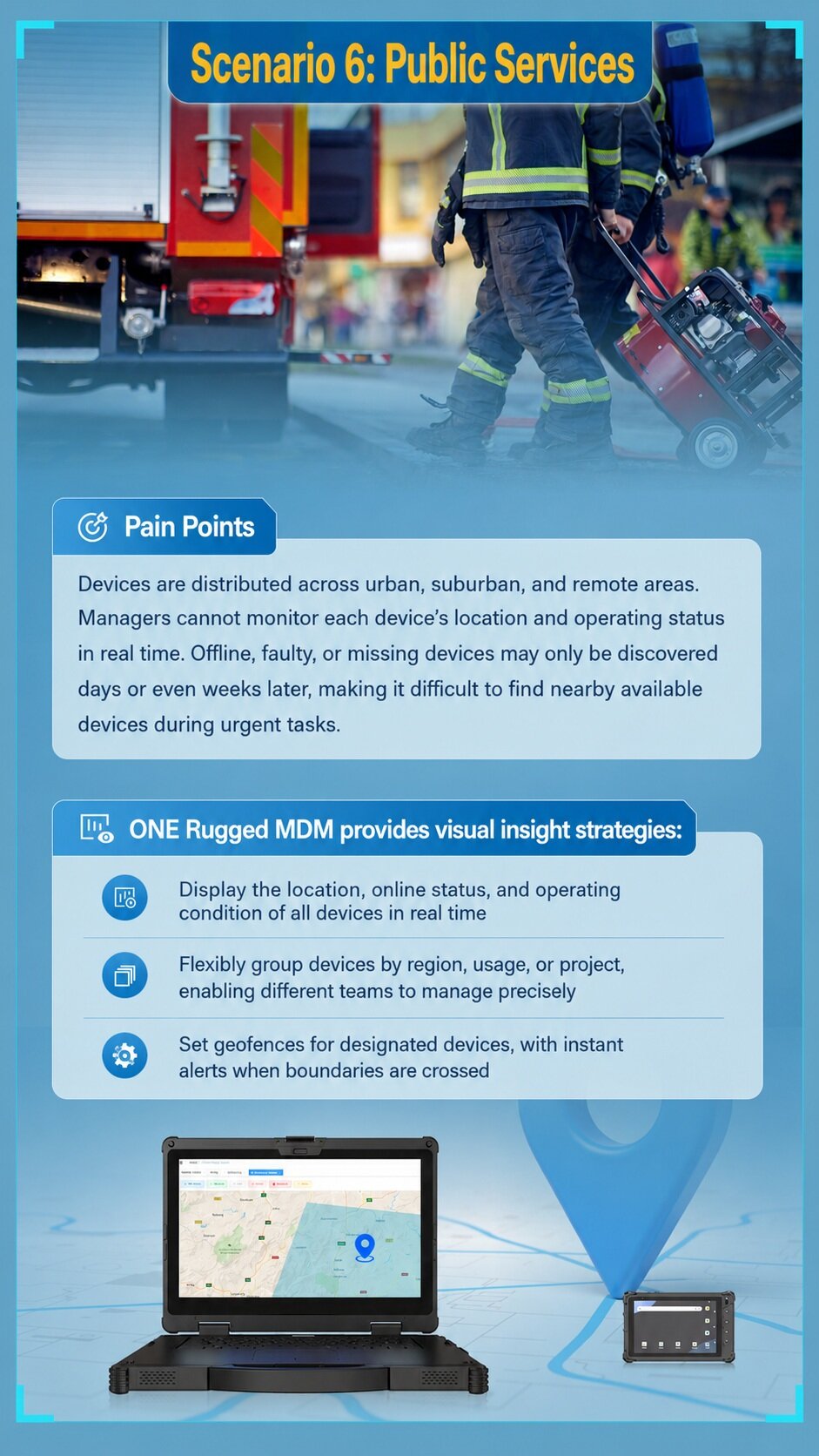
Fleet Management & Transport: Proactive Battery Preservation
Long-haul transport and vehicle operations expose electronic equipment to heat, vibration, sunlight, frequent charging, and irregular power conditions. In summer, cabins parked under direct sunlight can quickly become high-temperature environments. For standard devices, this may accelerate battery degradation, swelling, or sudden shutdowns.
How Rugged MDM Helps
Rugged MDM can support battery protection strategies through configurable charging limits, temperature thresholds, brightness rules, volume rules, and sleep-mode policies. When internal temperature or usage conditions reach preset levels, the system can reduce unnecessary load and help protect the device from avoidable damage.
For fleet projects, hardware and software should be considered together. The EM-V82T rugged vehicle tablet is designed for fleet management, transportation, logistics, public transit, and mobile workforce operations. It supports Android 14/GMS, an 8-inch 700-nit display, smart battery protection, and a dedicated vehicle dock with 6–36V wide-voltage input for in-vehicle deployment.[4]
Scenario 5
Power Inspection & Utilities: Real-Time Field Diagnostics
Substation inspectors and line workers often operate in remote, isolated terrain. They may have strong experience in physical inspection tasks, but they are not always trained to debug every software, network, or device-side issue. When an inspection tool errors out in the field, phone support alone may not be enough.
In this environment, the fastest support path is often not sending another engineer to the site. It is giving the expert at headquarters a live view of what the field worker is seeing.
How Rugged MDM Helps
- Remote Screen Mirroring: Engineers can view the on-site device screen in real time.
- Remote Control: Technical teams can guide the user or operate the device directly when permitted.
- Logs and Screenshots: Operation logs and remote screenshots help identify whether the issue is caused by user operation, app behavior, network condition, or device status.
For power inspection, public utilities, and field maintenance, rugged tablets and rugged handhelds can work together with MDM to support faster diagnosis and more reliable field operations.
Scenario 6
Public Services & Emergency Response: Visual Asset Oversight
Emergency medical services, fire departments, public utilities, municipal teams, and law enforcement units may use mobile terminals across wide areas. If a device drops offline, gets left behind, or moves outside its assigned region, delayed discovery can create security and resource management risks.
How Rugged MDM Helps
Centralized dashboards provide stronger administrative visibility. Managers can view device location, battery status, connectivity health, and operating condition. Devices can also be grouped by region, usage, project, or team, making responsibilities easier to assign.
Know Where Devices Are
MDM Capability: Real-time location visibility.
Operational Benefit: Faster asset tracking.
Manage Different Teams
MDM Capability: Grouping by region, usage, or project.
Operational Benefit: More precise responsibility assignment.
Prevent Device Loss or Misuse
MDM Capability: Geofence alerts.
Operational Benefit: Earlier warning when devices leave assigned areas.
Respond to Urgent Tasks
MDM Capability: Status and location overview.
Operational Benefit: Easier to find nearby available devices.
Cloud SaaS or Private Deployment: Which Model Fits Your Project?
Rugged MDM projects usually start with a practical deployment question: should the platform be cloud-based or privately deployed? The right choice depends on IT policy, network conditions, data sensitivity, and rollout speed.
Cloud SaaS
Best Fit and Considerations: Best for fast rollout, multi-site operations, and lower local IT workload. Suitable when internet access and cloud data policy are acceptable.
Private Deployment
Best Fit and Considerations: Best for data-sensitive projects, internal network control, and regulated environments. Suitable when customers require local servers or stricter data governance.
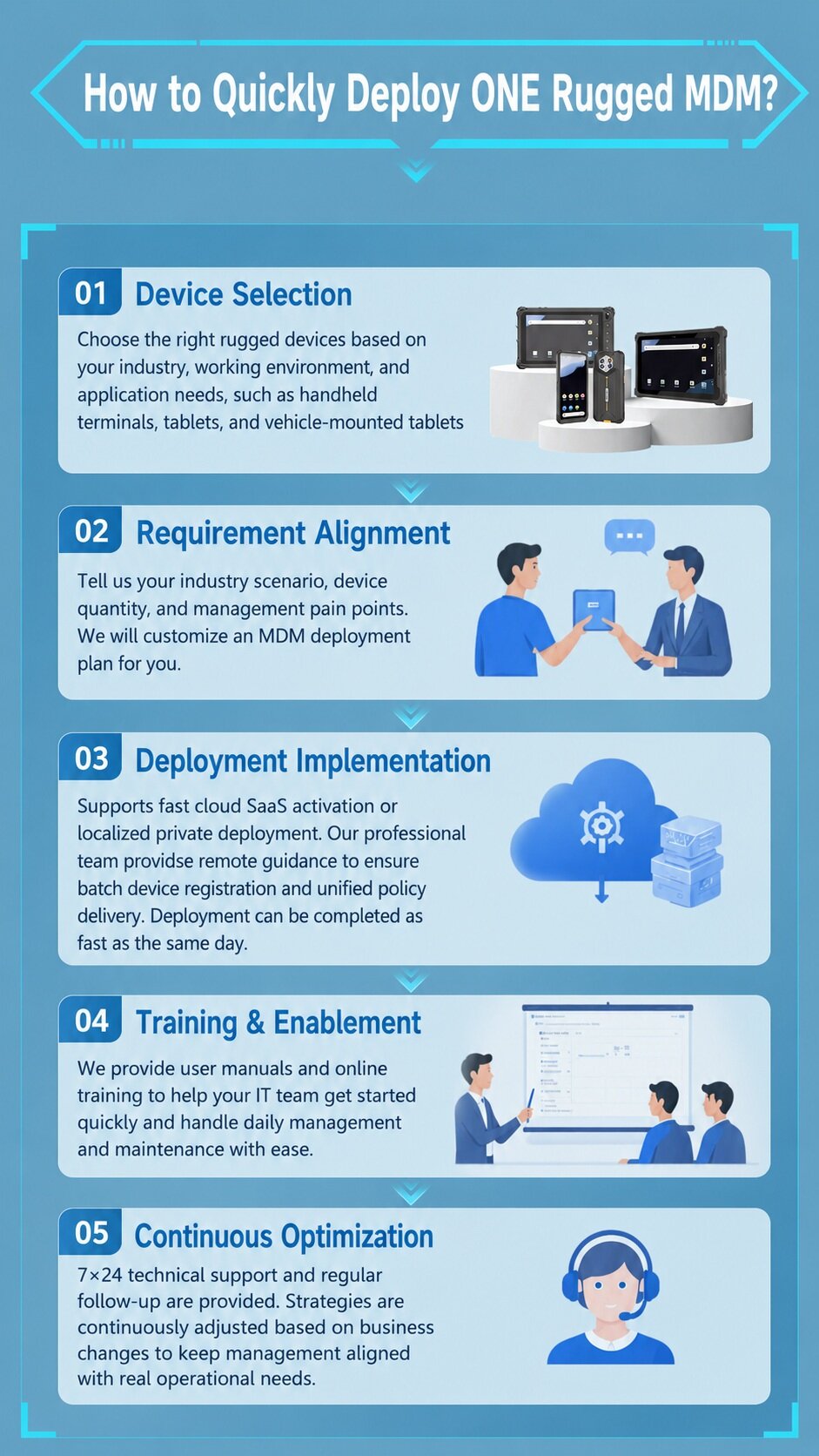
Step-by-Step: Deploying Your Rugged MDM Framework
Transitioning from decentralized device handling to centralized MDM management usually follows five clear phases.
1. Hardware Evaluation & Selection
Assess environmental challenges such as dust, drops, vibration, sunlight, vehicle power, or extreme temperatures. Choose suitable rugged handhelds, tablets, or vehicle terminals that can support the required management policies.
2. Requirement Alignment
Define device quantity, user roles, network profiles, application lists, security rules, peripheral restrictions, and emergency support procedures before large-scale rollout.
3. Platform Activation
Activate the management platform through cloud SaaS or private deployment. Enroll devices and push initial policies, apps, configurations, and update rules.
4. IT & Fleet Enablement
Train administrators to use remote control, device grouping, operation logs, app distribution, geofencing, OTA updates, and visual dashboards.
5. Iterative Optimization
Review performance dashboards regularly. Adjust app update cadence, battery protection rules, geofence boundaries, user permissions, and support workflows as business needs change.
How to Choose Rugged Devices and MDM Together
Device management should not be treated as an afterthought. The more distributed the project is, the earlier MDM should be included in planning. A rugged device may survive drops, dust, water, heat, and vibration, but the project can still fail if the device cannot be configured, secured, updated, and supported efficiently.
Warehouse Picking and Inventory
Recommended Device Type: Rugged handheld or Android rugged tablet.
MDM Focus: Batch setup, Wi-Fi policy, scanner app control, OTA updates.
Smart Factory Workstation
Recommended Device Type: Industrial tablet or panel terminal.
MDM Focus: eSOP file push, remote reboot, workstation grouping.
Retail POS or Self-Service
Recommended Device Type: Android rugged tablet.
MDM Focus: Kiosk mode, app whitelist, approved app distribution.
Fleet Management
Recommended Device Type: Vehicle-mounted rugged tablet or vehicle PC.
MDM Focus: Location visibility, battery protection, OTA updates, dispatch support.
Power Inspection
Recommended Device Type: Rugged tablet or rugged handheld.
MDM Focus: Remote control, logs, screenshots, field support.
Public Services
Recommended Device Type: Rugged tablet or handheld terminal.
MDM Focus: Geofencing, online status, device grouping, asset visibility.
Buyer Checklist: What to Confirm Before Deploying Rugged MDM
- How many devices will be managed in phase one?
- Are the devices Android GMS, AOSP, Windows, or mixed systems?
- Do devices need kiosk mode or app whitelist?
- Which apps must be preinstalled, pushed, restricted, or updated?
- Are OTA updates required across all sites?
- Should devices be grouped by region, team, vehicle, role, or project?
- Do field teams need remote screen support?
- Are operation logs and remote screenshots required for troubleshooting?
- Are battery temperature and charging policies important?
- Does the project require cloud SaaS or private deployment?
Frequently Asked Questions About Rugged MDM
What is rugged MDM?
Rugged MDM is a mobile device management system designed for rugged Android devices used in logistics, manufacturing, retail, fleets, utilities, public services, and other frontline operations. It helps manage deployment, configuration, security, applications, updates, remote support, and device visibility.
How is rugged MDM different from standard MDM?
Standard MDM usually focuses on general enterprise mobility. Rugged MDM pays more attention to industrial and frontline scenarios, including batch setup, scanner-related workflows, kiosk mode, app control, OTA updates, remote troubleshooting, geofencing, and rugged device status management.
Can rugged MDM help prevent users from installing personal apps?
Yes, it can help restrict unauthorized applications through kiosk mode, app whitelist, approved app distribution, and browser or system policy controls. The exact restriction level depends on device model, Android version, deployment mode, and project policy.
Does rugged MDM support kiosk mode?
Yes. Kiosk mode can lock a device to one business app or a controlled set of apps. This is useful for retail POS, warehouse scanning, self-service terminals, factory workstations, and other workflows where users should not exit the business application.
Conclusion: Rugged Devices Need Rugged Management
Rugged devices are built to survive demanding environments. But durability alone does not solve the management challenge. When devices are deployed across warehouses, factories, stores, vehicles, inspection routes, and public service teams, enterprises need a way to keep every device configured, secure, updated, visible, and ready for work.
Emdoor Rugged MDM provides a centralized management approach for Android rugged device fleets. From batch deployment and app control to OTA updates, remote troubleshooting, geofencing, battery protection, and visual device insights, it helps scattered rugged terminals become part of a more manageable and secure frontline operation system.
References
- Emdoor Software: MDM solution for remote management of handhelds, tablets, and smart devices.
- Android Enterprise Dedicated Device: company-owned devices for single-purpose use cases and restricted app access.
- Android Management API Dedicated Devices: kiosk mode policy examples and behavior.
- EM-V82T Rugged Vehicle Tablet: Android 14 fleet management device with vehicle-ready features.